
Home Network and WiFi Walthamstow
Fast, reliable internet in every room — with no dead zones or dropped connections. We install Cat6 / Cat6a Ethernet structured cabling for reliable 1Gbps speeds (10Gbps capable on Cat6a runs) alongside enterprise-grade Wi-Fi 6 / Wi-Fi 6E mesh and access point systems across Walthamstow E17. Designed for your home, installed by qualified electricians, and built to last.
Why Choose Rudi Electrics for Home Network Installation Walthamstow?
Your concerns answered — here’s why Walthamstow homeowners trust us to wire their homes for fast, reliable connectivity.
“Can you install the network points and power sockets at the same time? I don’t want two different tradespeople.”
Absolutely — and this is exactly where we shine. As qualified electricians, we install power outlets alongside network points in one visit. We can add dedicated circuits for your network equipment, install UPS-protected sockets, and ensure your entire home office setup has reliable power and data in the same job.
“Is this proper electrical work? I want someone qualified, not just a bloke who’s done it a few times.”
All our work is carried out by NICEIC registered electricians who understand both power and data cabling. Every installation follows BS 7671 standards — so there’s no need to coordinate separate electricians and network installers. One qualified team, one job, one certificate.
“I’ve heard cheap network cable causes problems years later. What equipment do you actually use?”
We only install premium CAT6 cable rated for 10 Gigabit speeds, professional-grade RJ45 sockets, and enterprise-quality network equipment. CAT6 future-proofs your home for the next 20+ years. We don’t cut corners with cheap cable that fails — every component is specified to last.
“How do I know the network points will actually be in the right places for my home?”
Every installation starts with a free site survey. We walk your home, identify the best cable routes, position network points where you’ll actually use them, and design WiFi coverage to eliminate dead zones in every room. Nothing is guesswork — you get a custom plan for your property before any work begins.
Home Network and WiFi Installation in Walthamstow E17
Walthamstow E17 is one of our busiest areas for home network work — the dominant Victorian terrace stock on Hoe Street, Forest Road, Markhouse Road, and the streets running off them has thick masonry walls that crush WiFi signal. Routers placed in a downstairs hallway barely reach the back bedroom, let alone a garden office at the rear of the long thin gardens that are typical in this part of E17.
Most Walthamstow installs we do involve CAT6 routed through loft voids and down internal walls to landings, back bedrooms, and garden offices — surface trunking is rarely acceptable, and chasing brick is something we never do. Many of the flat-conversion properties around Walthamstow Central have shared loft access between flats, which complicates AP placement and needs planning before we start. We cover Walthamstow as part of our wider home network & WiFi installation service across Waltham Forest. For general electrical work, see our electrician Walthamstow page.
A solid home network and Wi-Fi setup in Walthamstow underpins related installs — smart home devices need it for cloud control, CCTV needs it for live streaming, smart lighting needs it for scenes and dimming, and any EV charger with app features needs reliable Wi-Fi at the parking spot. We work alongside related services across the borough including our Walthamstow Village electrician work.
What Our Customers Say About Us
Real reviews from homeowners across Walthamstow E17. Live Google reviews below — for all 358+ reviews across review platforms, see our testimonials page →















The new fuse box installation was done to a high standard, and the hallway lights are now working perfectly. He also made sure everything was left clean and tidy afterwards, which we really appreciated. Overall, a very reliable and knowledgeable electrician who clearly takes pride in his work. I’d happily recommend Rudi to anyone looking for electrical work done.




Rudy managed to drop by and sort out my mess of a ceiling rose and light.
Found fault to resolve tripping fusebox all in short space of time. Very courteous too. Thank you Rudy. Stress free!





Would highly recommend for small or large Electrical job




Really happy with the work, everything was done professionally, cleanly and on time. He explained everything clearly and made sure the system was safe and up to standard.
Reliable, knowledgeable and easy to deal with. Would definitely recommend for any commercial electrical work.



Took the time to go through everything with me beforehand to ensure optimal functionality as well as helping to source the right equipment.
The work was completed quickly and professionally….a real pleasure and hassle free.


Professional, efficient and great communication. Highly recommended.


What really impressed me was that he managed to fit me into his already tight schedule and came out on a Sunday to do the installation. We had a break-in a couple of days ago, so I needed the security cameras urgently and he really helped by making it happen so quickly.
The installation was very neat and professional, he explained how everything works and made sure the cameras covered all the important areas around the house.
Highly recommend Rudi Electrics if you need CCTV or security cameras installed. Reliable, professional and very helpful when you need it most.





He also took the time to explain things in simple terms, which I really appreciated. Overall, a really positive experience – I’d happily recommend him to anyone looking for a reliable electrician.

He was professional, friendly, and knew exactly what he was doing. He got everything sorted quickly and made sure everything was safe before leaving.
Highly recommend if you need a reliable electrician, especially in an emergency.


I would thoroughly recommend Rudi for his skilled work, knowledge of electrics, friendly approach, and flexibility in working around a customer’s needs.


Our Home Network Installations
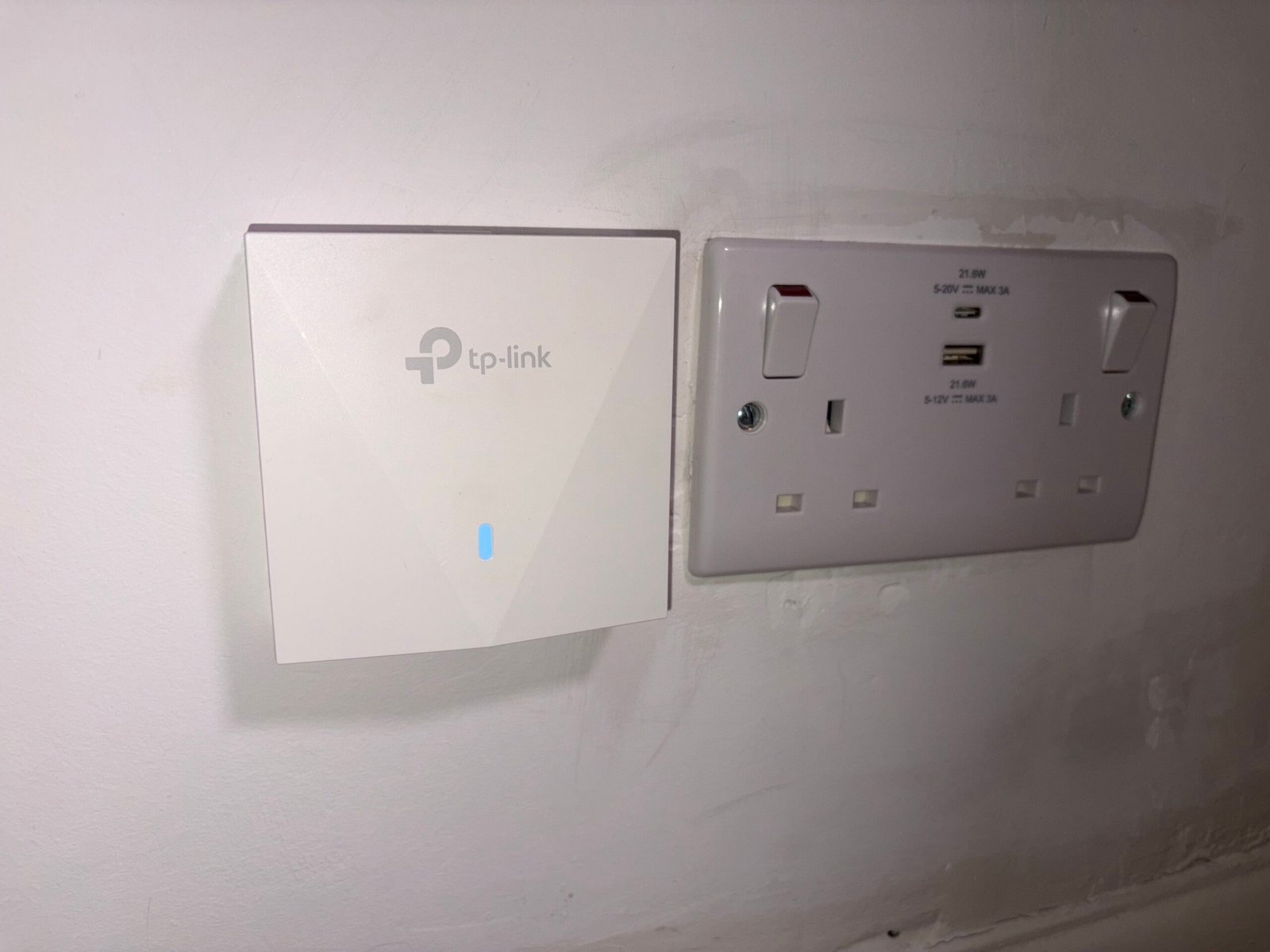
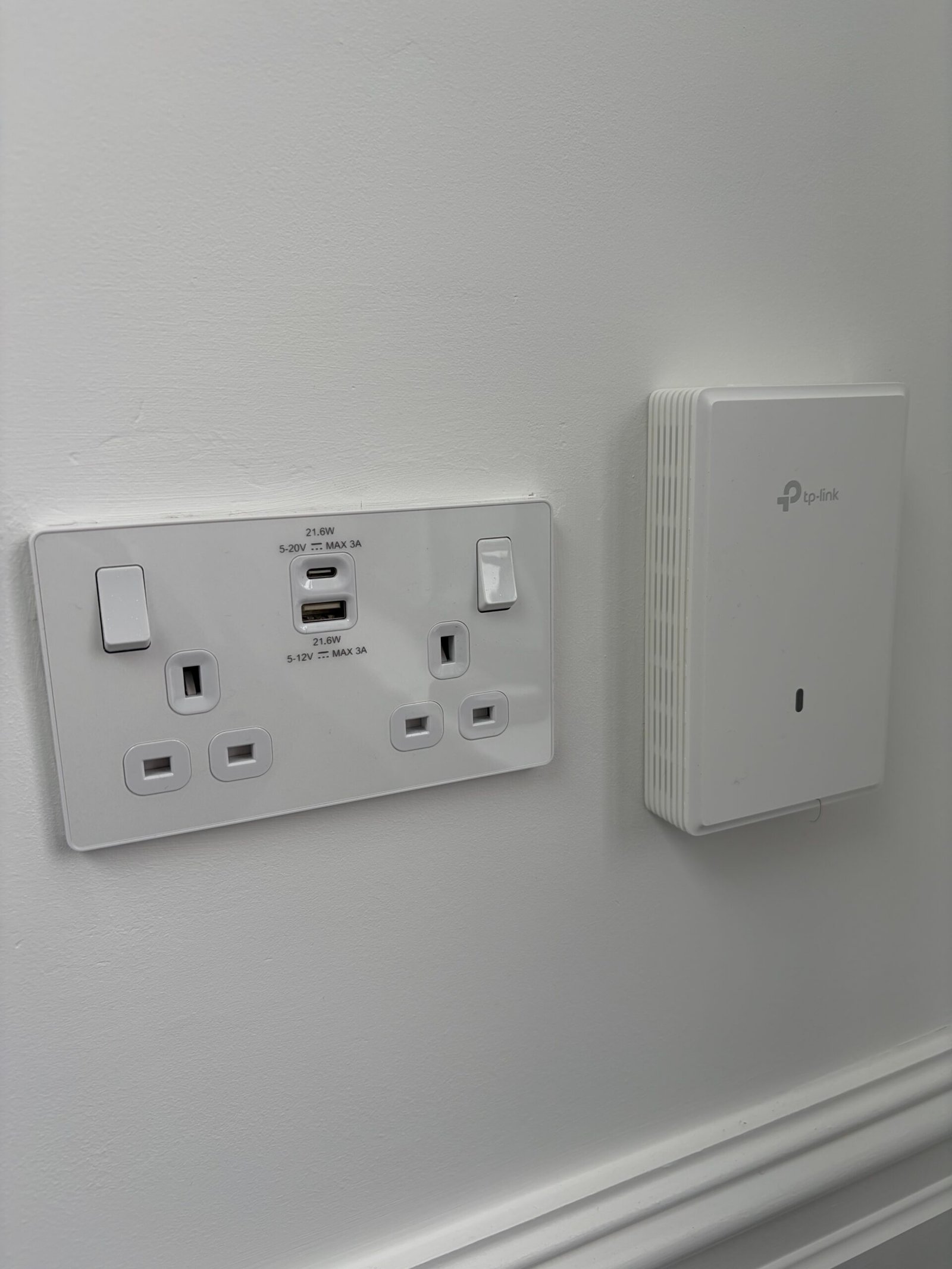
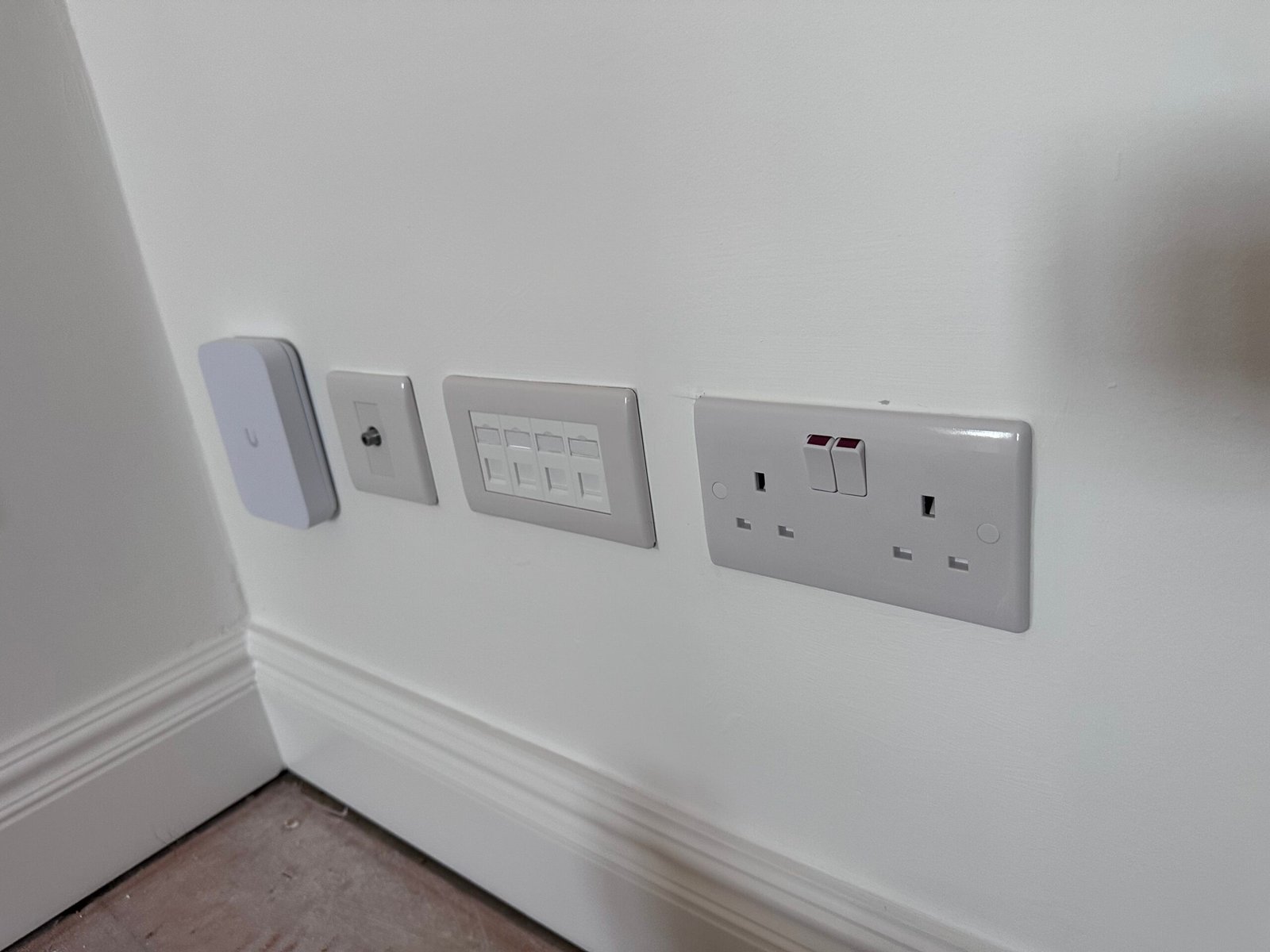
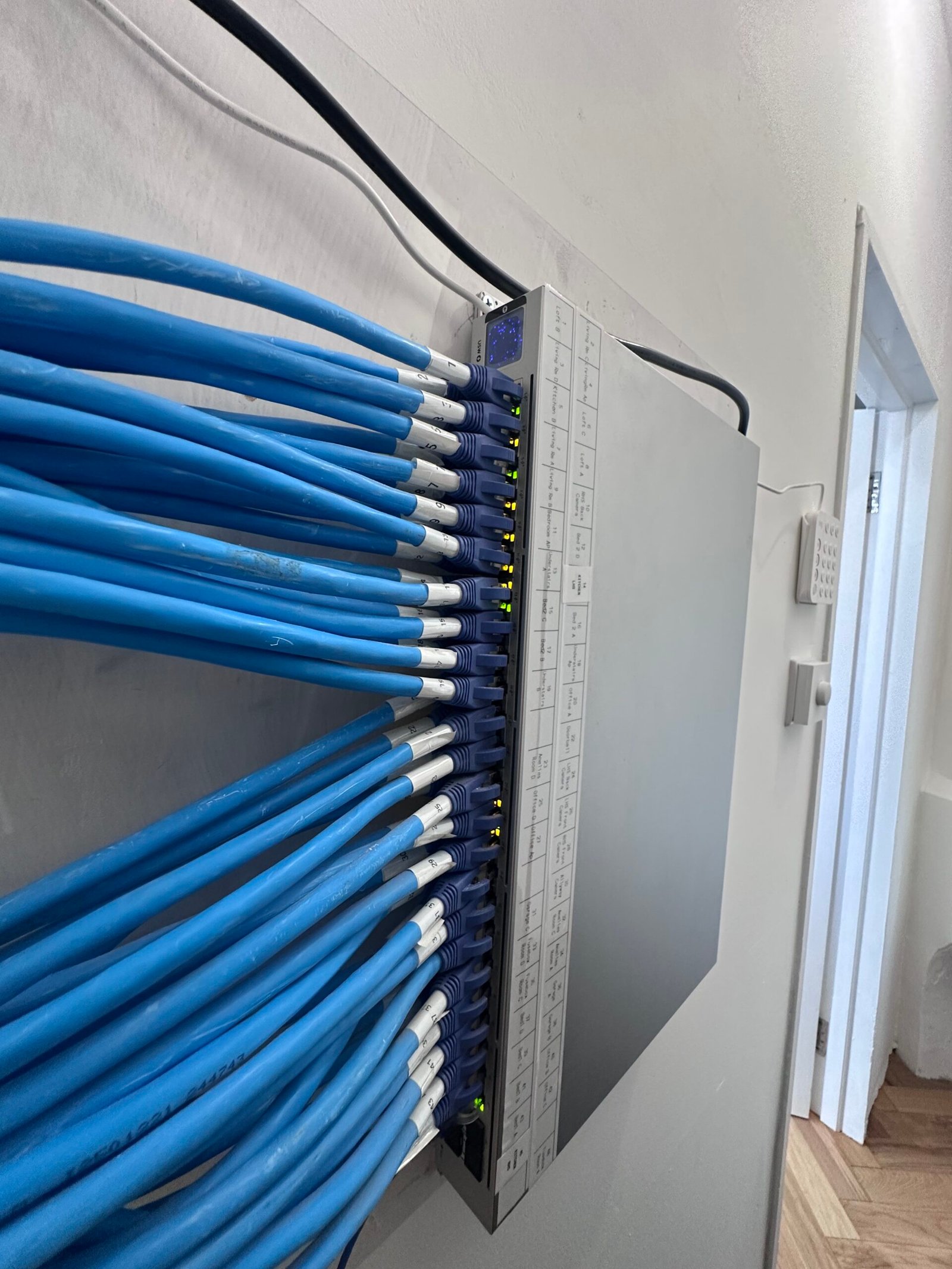
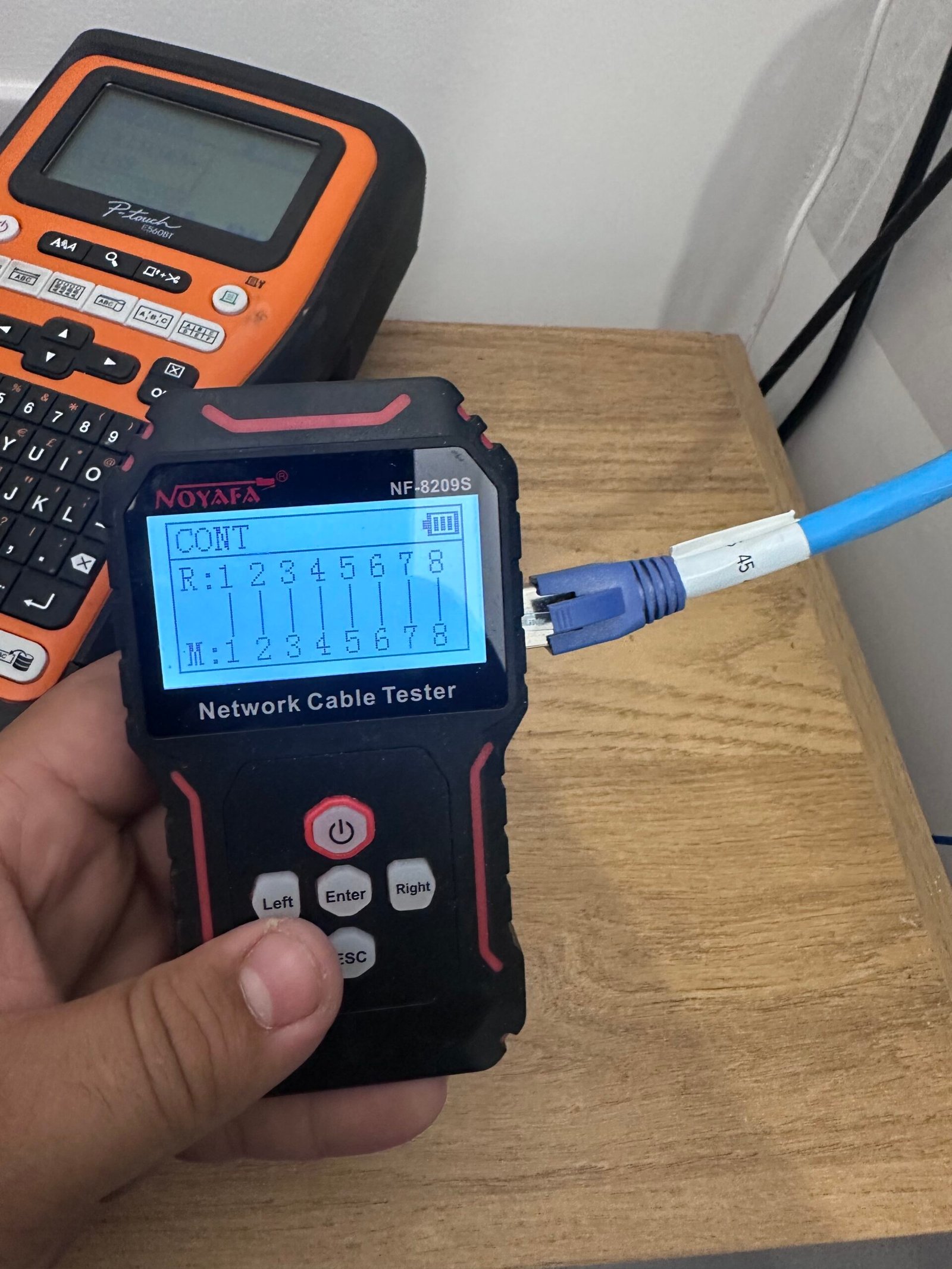
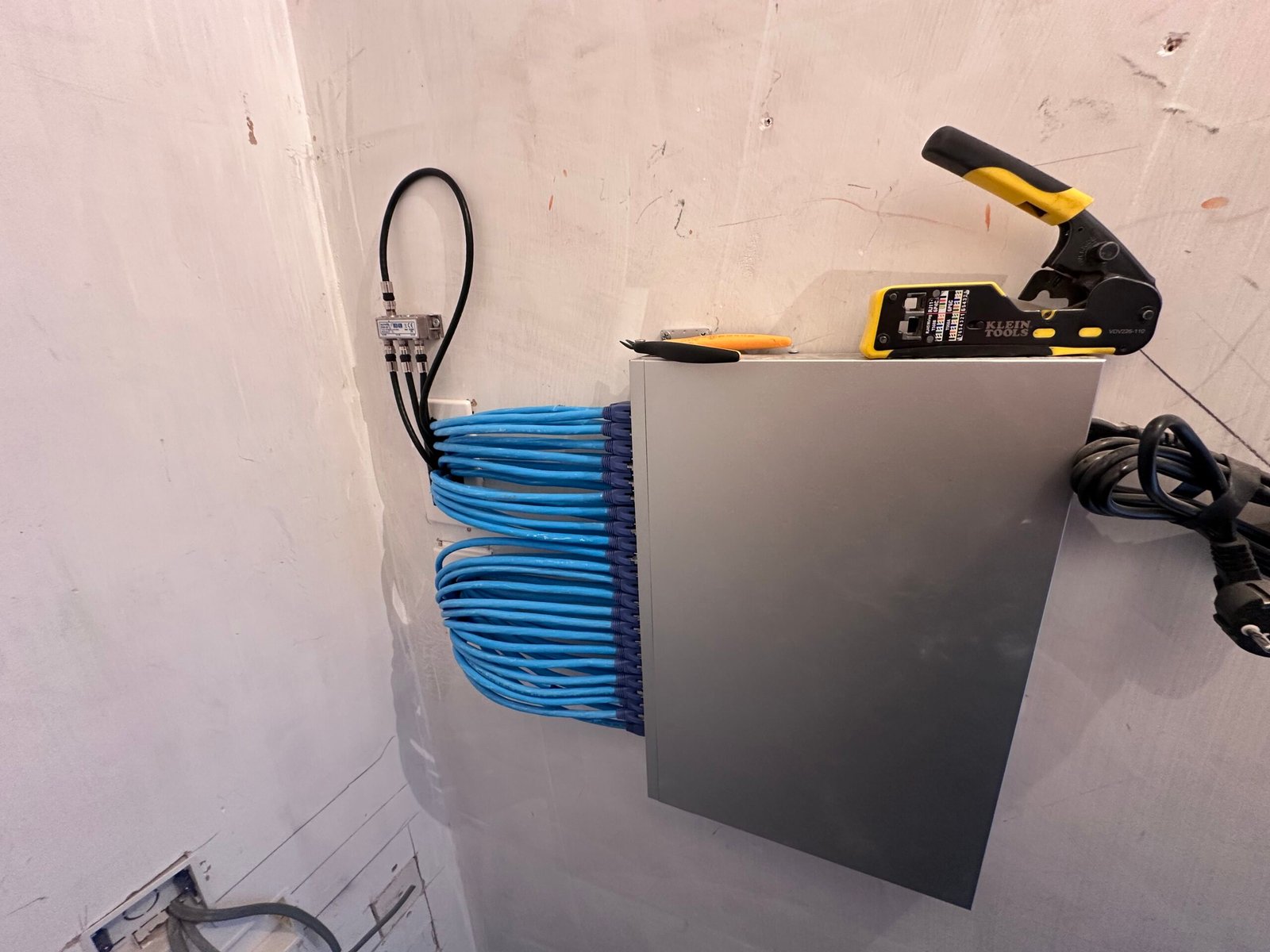
Real CAT6, WiFi and structured network installs in Walthamstow E17 — tested and certified.
What Can We Install in Your Home?
From eliminating WiFi dead zones to wiring a dedicated home office network — here's what's possible with a professional home network installation across Walthamstow E17.
Ethernet Network Points
Wired connections in every room you need them — living room, home office, bedroom, loft. CAT6 sockets flush-fitted to match your existing décor, delivering fast, stable speeds that WiFi simply can't match for gaming, streaming, and working from home.
Mesh WiFi Systems
Full whole-home WiFi coverage with no dead zones. We design, supply, and install enterprise-grade mesh systems that hand off cleanly across every floor, room, and garden — no dead zones. One network name, one fast connection — wherever you are in your home.
Home Office & Desk Setup
A proper wired desk setup for faster, more reliable video calls and file transfers. We install network and power points exactly where you need them — no trailing cables, no dongles, no WiFi dropouts mid-meeting.
TV & Entertainment Points
Hardwired connections behind your TV for smoother 4K and 8K streaming, faster smart TV response times, and zero buffering. We fit both the network point and the power outlet — so everything is hidden and tidy from day one. Networks are designed to handle 4K IP cameras and CCTV systems alongside streaming devices without bandwidth drops.
WiFi Access Points
Ceiling or wall-mounted access points for maximum coverage and performance. Ideal for larger homes, outbuildings, garages, and gardens. Each access point is wired back to your router via CAT6 for full-speed connectivity throughout your property.
Network Cabinet & Patch Panel
All your cabling terminated neatly in a wall-mounted cabinet — router, switch, patch panel, and power all in one tidy location. No cables trailing across the floor, no equipment scattered around. A clean, organised setup that's easy to manage.
All network installations use premium CAT6 cabling rated for 10 Gigabit speeds — future-proofing your home for the next 20+ years. Every job is carried out by NICEIC registered electricians and fully tested before we leave.
How We Complete Your
Home Network Installation
Professional network installations planned to your exact requirements with minimal disruption — from free survey to final testing and handover.
Free Site Survey
We visit your property to assess layout, construction, and usage requirements. We identify optimal cable routes, access point locations, and discuss your connectivity needs in detail.
Custom Design & Quote
We create a bespoke network design with cable plans, equipment specifications, and a detailed written quote covering labour and all materials. No hidden costs.
Cable Installation
Professional CAT6 cabling installed through walls, ceilings, and voids. We use proper cable management, trunking where needed, and protect your property throughout.
Termination & Testing
All cables are terminated to professional RJ45 sockets or patch panels. We test every connection with certification equipment to ensure full gigabit+ performance.
Equipment Setup
If you're having mesh WiFi or network equipment installed, we configure everything for optimal performance — including SSID setup, security, and clean handover between access points.
Testing & Handover
Full system testing, speed verification, and demonstration. You receive documentation, WiFi passwords, and guidance on managing your new network infrastructure.
Ready for Fast, Reliable Internet Everywhere?
Book a free site survey — most installations completed within 1–2 days from £99
Book Your Free Home Network Site Survey
Tell us about your property and what you need — we'll get back to you within 24 hours with a free fixed-price quote.
TP-Link Omada & Ubiquiti UniFi Specialists
We install and configure professional TP-Link Omada and Ubiquiti UniFi Wi-Fi 6 / Wi-Fi 6E systems — enterprise-grade WiFi and managed switching sized for homes and small businesses.
NICEIC Registered
All network and power work carried out by a qualified electrician. Full certification issued on completion — important for insurance and property records.
Full Setup & Testing
Every cable tested with certification equipment, WiFi configured and optimised, and everything handed over working before we leave. 12-month workmanship guarantee + manufacturer warranty (5-year on UniFi / TP-Link hardware).
Fixed Price Quotes
From £99 per network point. No surprises — we agree the full price before any work begins.
🔒 Your details are kept private and never shared. We'll call or email within 24 hours.
Home Network and WiFi Installation Walthamstow — Across All Property Types
From wired CAT6 ethernet to whole-home WiFi mesh — we install home networks across Walthamstow E17.
Victorian Terraces
📍 Hoe Street, Forest Road, Markhouse Road, Wood Street E17
Walthamstow's late-Victorian terraces along Hoe Street and Forest Road have thick solid masonry party walls that crush WiFi signal between rooms. Long, narrow plots mean the back bedroom and the kitchen extension are 15+ metres from the hallway router. Period cornicing, lath-and-plaster ceilings, and stripped floorboards with reinstated cornice rule out surface trunking entirely.
CAT6 run from loft down internal walls to each floor — pinhole entry only. Ceiling-mounted access points in the hallway, landing, and rear of the kitchen extension give full coverage without touching original plasterwork. Wired ethernet backhaul between APs — no speed loss across the property.
Edwardian Semis
📍 Hoe Street upper end, Forest Road, side roads off Lloyd Park
Walthamstow's Edwardian semis tend to have a wider footprint than the terraces but the brick chimney breasts and original lath-plaster bedroom walls still kill 5GHz WiFi between rooms. Many have had loft conversions — bedroom-three-in-the-loft is the worst spot in the property for signal off a downstairs router.
CAT6 run from loft direct to the loft conversion bedroom and one drop down to the living room. Ceiling-mounted access point in the loft and hallway gives full handover coverage. Garden office, where present, picked up via armoured CAT6 in PVC conduit on the same visit.
Flat Conversions & New Builds
📍 Walthamstow Central, regen flats off Hoe Street, Selborne Road conversions
Many flat conversions across E17 have shared loft access between the upper-floor flats — that complicates where you can place an access point and route cable. New-build flats around Walthamstow Central typically have a single telecoms point in the hallway and concrete-floor construction makes drilling between flats impossible.
For conversions: cable contained within the flat's internal voids and chases — never crossing the demise. For new builds: ethernet sockets in living room and main bedroom routed through internal partitions, mesh AP on wired backhaul. All smart home devices on wired ethernet for reliability.
Garden Offices & Long-Garden Plots
📍 Streets off Forest Road, Higham Hill end, Markhouse Road area
Walthamstow's typical Victorian terrace plot is long and narrow — 25–30 metres from the back of the house to the rear boundary. Garden offices tucked at the bottom of the plot get no usable signal off a downstairs router, and WiFi extenders connected via extension leads fail in winter or trip on first heavy rain.
External-grade armoured CAT6 in PVC conduit run from the consumer unit out to the garden office — buried where it crosses path or lawn, surface-clipped along the fence elsewhere. Sub-panel in the office for power; wired access point inside gives WiFi out into the garden too. Single visit alongside the electrical supply.
Need a better network in Walthamstow?
Honest answers about WiFi dead zones, ethernet cabling, access points, and office network setup
Twelve straight answers for homeowners and small-business owners. Anything missing — call 07932 772050.
What does home or office network installation cost in Walthamstow E17? What does the £99 starting price include? ▼
The £99 starting price is specifically for either:
- A single wireless access point (WAP) install within reach of your existing router, or
- Swap-and-commission of an existing access point — replacing a faulty / outdated AP with a new one and configuring it on your network
Everything else gets quoted after a free site survey: multiple ethernet drops, full-home structured cabling, garden-office runs, office network setups with switches and racks, point-to-point bridges. We walk the property, plan cable routes, signal-test for dead zones, then send you a written fixed quote.
What changes the quote: number of network points / RJ45 sockets, cable routing complexity (loft access, brick walls, soffit boxing, conduit), managed switch / patch panel needs, wireless access points, and any outdoor or outbuilding extensions.
One trip, fixed quote, no daily-rate creep. Business installs itemised so they’re tax-deductible.
Why do I have WiFi dead zones? What actually fixes them? ▼
WiFi blackspots in homes and offices come from physics — wireless signal weakens through brick walls, foil-backed insulation, and distance from the router. Common dead-zone patterns:
- Upstairs rooms when the broadband router is downstairs (90% of UK homes)
- Far corner of the office away from the modem
- Garden offices, sheds, outbuildings — no signal at all
- Bathrooms / kitchens with foil-backed plasterboard or appliances blocking signal
- WFH / Zoom dropouts when too many devices share one router
What actually fixes it (in order of effectiveness):
- Hardwired ethernet to a second access point — best fix, kills dead zones permanently
- Mesh WiFi system with 2–3 nodes (TP-Link Deco, Eero, Netgear Orbi)
- Powerline adapter (HomePlug / ethernet over power) — cheap stopgap if cable runs aren’t possible
- Move the router — sometimes solves 50% of the problem for free
What doesn’t work long-term: WiFi extenders / repeaters cut speed in half. We rarely recommend them.
Mesh WiFi vs ethernet cabling vs powerline — which is right for my home or office? ▼
Each has its place:
Mesh WiFi (wireless mesh network) — multiple nodes talking to each other wirelessly. Good for 3-bed homes, single-floor offices, no cable runs needed. Limitations: speeds drop with each hop; thick walls still problematic.
Ethernet cabling (CAT6 / CAT6A hardwired structured cabling) — proper network cable to network points throughout your space. Good for gigabit speeds at every socket, future-proofing, larger and business properties. The gold standard.
Powerline adapters (HomePlug / ethernet over power) — sends data through your existing electrical wiring. Good for cheap fix or single dead room. Limitations: speeds drop sharply on older wiring or split RCBOs.
Our default for most installs: CAT6 ethernet to 2–4 access points — wired backbone, wireless coverage. For tight budgets or rentals, a 3-node mesh kit. Powerline only as a temporary fix.
Is my ISP's router (BT, Sky, Virgin, EE business broadband) good enough? When should I upgrade? ▼
Honest version: most ISP-supplied broadband routers / hubs / gateways are designed cheap, not great. They cover the room they’re in and a bit beyond.
ISP routers tend to fail when:
- House is more than 2 bedrooms or has thick walls
- More than ~10 connected devices (modern households + smart home easily hit 30+)
- Garden office, loft conversion, or outbuilding needs coverage
- You’re on Zoom/Teams while someone else streams 4K
- Business broadband but you’re running off the freebie hub from BT Business / Virgin Business
What we install instead:
- Keep your ISP modem (it terminates the broadband line)
- Disable its WiFi
- Add a proper router or PoE switch + one or more wireless access points
- For small business: a managed UniFi or TP-Link Omada setup with VLAN-ready guest WiFi
This isn’t ‘rip out and replace’ — we layer proper networking on top of your existing broadband.
Can you set up our office network? Multiple workstations, guest WiFi, printer, VoIP, all in one go? ▼
Yes — small business and office networks are about half our Walthamstow work. Standard small-office setup includes:
- Structured CAT6 cabling to each workstation (typically 2 ethernet points per desk — primary + spare)
- PoE switch (8/16/24-port depending on size) to power access points and IP phones
- Wireless access points ceiling-mounted for full coverage
- Separated guest WiFi (VLAN-isolated from your business network)
- VoIP-ready — handsets plug into PoE switch directly
- Printer / NAS / shared drives properly addressed on the network
- Patch panel + small wall-mount rack if space allows
We work around your business hours — most installs in one full day or split over a weekend to avoid downtime. Hand-over with a network map, switch port labelling, admin login details. Invoice itemised for tax/accounts purposes. Final price quoted after a free site survey.
What's a wireless access point (WAP) and how many do I need for my home or office? ▼
A wireless access point (WAP, also called AP or hotspot) is a ceiling- or wall-mounted device that broadcasts WiFi. Unlike a router, it doesn’t manage your internet — it just provides wireless coverage. Powered by ethernet (PoE), one cable run does both data and power.
How many you need:
- Small flat / 2-bed home — 1 access point (often well-placed router is enough)
- 3–4 bed home / typical UK semi — 2 access points (one upstairs, one down, hardwired between)
- Larger home / loft conversion / extension — 3 access points
- Small office (up to 10 staff, single floor) — 2 access points (front + back of office)
- Multi-floor office or warehouse — 3–6 access points, one per zone
Why APs beat consumer mesh: dedicated APs (UniFi, TP-Link Omada, Netgear) handle 50+ devices each, support fast handover between APs, and don’t slow with each hop. Mesh is a consumer compromise; APs are the proper solution.
Can you run ethernet through walls, floors, or ceilings without ripping the place open? ▼
Yes — minimal-mess routing is what we specialise in. Standard routes:
- Loft → down internal wall (most common — single cable from loft to a downstairs office or living room socket)
- Soffit boxing → loft (external runs from upstairs to garden office, around fascia)
- Existing conduit / plastic trunking along skirting where loft access doesn’t reach
- Under floorboards — lift one or two boards, run, replace (usually invisible after)
- Lift carpets at edges for short ground-floor runs
What we never do: chase brick walls or knock holes for cable. If a route truly isn’t achievable, we use cable conduit matched to fascia colour and tell you upfront.
Cable type: CAT6 by default (gigabit, future-proof for most homes/offices). CAT6A if you want 10Gb-ready (heavier cable, more cost, worth it for new commercial fit-outs). CAT5e only on existing intact runs.
A typical 4-point home install — no holes in painted walls, no chasing brick.
Why does my WiFi keep dropping during Zoom, Netflix, or Teams calls? ▼
Frustrating, and almost always router or signal-side, not your broadband line. Common causes:
- Router can’t handle device load — 30+ connected devices is normal in modern households + smart home; ISP routers struggle past 15
- WiFi 5 router on a WiFi 6/6E phone or laptop — backwards compatible but slower than it should be
- Channel interference — neighbours’ WiFi on the same 2.4GHz channel, microwaves, baby monitors, Bluetooth
- Distance — your laptop drops to 2.4GHz when far from the router; speeds halve
- Router firmware out of date — never updated
Quick test: plug your laptop directly into the router via ethernet for the next call. If stable wired, your WiFi is the problem. If still dropping, the broadband line is — call the ISP.
Proper fix for hybrid workers and home offices: dedicated access point near your work area + ethernet-backhauled. Zero dropouts, full gigabit speed. Most Walthamstow customers say this is the best WFH upgrade they’ve made.
TP-Link, UniFi, Netgear, Eero, Asus — which brand do you install and why? ▼
We install based on use case, not loyalty:
- TP-Link Deco / Eero (Amazon) — best for straightforward home mesh. Easy app, decent speeds, good value
- UniFi (Ubiquiti) — best for prosumer homes + small-medium business. Enterprise-grade, ceiling APs, managed switches, free network controller. Our most-recommended for offices
- TP-Link Omada — UniFi-like business range at a slightly lower price point. We install both
- Netgear Orbi — solid premium home mesh, more expensive than Deco/Eero, comparable performance
- Asus / Linksys — fine for tech-confident DIY, less good for the install-and-leave market
- Avoid for permanent installs: BT/Virgin/Sky branded mesh extensions (locked into their ecosystem), Google Nest WiFi (subscription-driven, declining feature set)
Default choice: Deco for budget homes, UniFi for offices, large homes, tech-fluent households, Omada when budget matters but you want managed gear.
Will I get reliable WiFi in my garden office, shed, detached unit, or warehouse extension? ▼
Yes — outbuilding WiFi is one of our most-requested installs since 2020. Two approaches:
Approach 1: Ethernet under-conduit (preferred)
- Run external CAT6 in PVC conduit from house to outbuilding
- Cable buried 30cm minimum if going under a path/lawn, or surface-clipped along fence
- Outbuilding gets a wired access point — full gigabit, indistinguishable from house WiFi
- Same network, same SSID — your phone hands over without you noticing
Approach 2: Wireless point-to-point bridge (if cable run is impossible)
- Two directional antennas — one on the house, one on the outbuilding
- Up to 100m line-of-sight, gigabit speeds
- Slightly higher than ethernet, more weather-dependent
For business yards and warehouses: outdoor PoE access points (rated IP66) covering loading bays and exterior staff areas. Common in Walthamstow for trade businesses with secondary buildings.
Final cost quoted after a free site survey — depends on cable distance to the outbuilding, ground conditions, and any wall-mounting needed.
Do you offer guest WiFi separation, VPN access, or ongoing support contracts? ▼
Yes — these are standard features of every business install:
- Guest WiFi (VLAN-isolated) — separate network for visitors / customers / non-staff. They can’t see business devices or files. Set up on a different SSID, timer-based access if you want
- Staff WiFi — main business network with access to printers, shared drives, NAS
- VPN access — remote workers / managers logging in from home or on the road. Site-to-site VPN if you have multiple offices
- Network monitoring — UniFi/Omada dashboard shows live device activity, who’s connected, any unusual traffic patterns
- Pay-per-callout standard — same callout structure as our electrical work
- Monthly support packages available on request, priced based on network size and on-site response time you need
For homes: same guest WiFi separation included on UniFi installs, no contract needed unless you want one.
What's the install process — disruption, time, and ongoing support? ▼
Typical install timeline:
- Free site survey first — we walk the property, identify cable routes, signal-test for dead zones, agree the design with you. Free, no obligation
- Written fixed quote within 24 hours, itemised
- Install day — typically one full day for a 4-point home, one to two days for a small office
- Standard hours: 9am–5pm. For businesses we can split into evenings or weekends to avoid downtime
During the install:
- Loft access needed (we provide a ladder, take care of insulation)
- Cable routing minimises drilling — usually just 2–3 pinhole entries through internal walls
- We hoover, take all packaging, and bin the old kit
Hand-over:
- Network map showing every cable run + AP location
- Admin login details for routers/switches
- Phone-app setup for the WiFi
- Walk-through with you before we leave
12-month install warranty: if anything we installed stops working within the first year, ring us and we’ll come back at no extra charge. After 12 months, our standard £100 callout applies. Most issues troubleshoot remotely first.
Need a Home Network
in Walthamstow?
Professional CAT6 structured cabling and mesh WiFi installation across Walthamstow E17 and surrounding Waltham Forest areas including Walthamstow, Leyton, Leytonstone, Chingford, Highams Park, South Woodford, and more. Free site survey, fixed prices, fully tested and certified on completion.