Need a professional home network and WiFi installer in North London? We survey weak rooms, dead zones, wired-device needs and practical cable routes, then install structured Cat6 cabling and correctly positioned access points so the whole system works together.
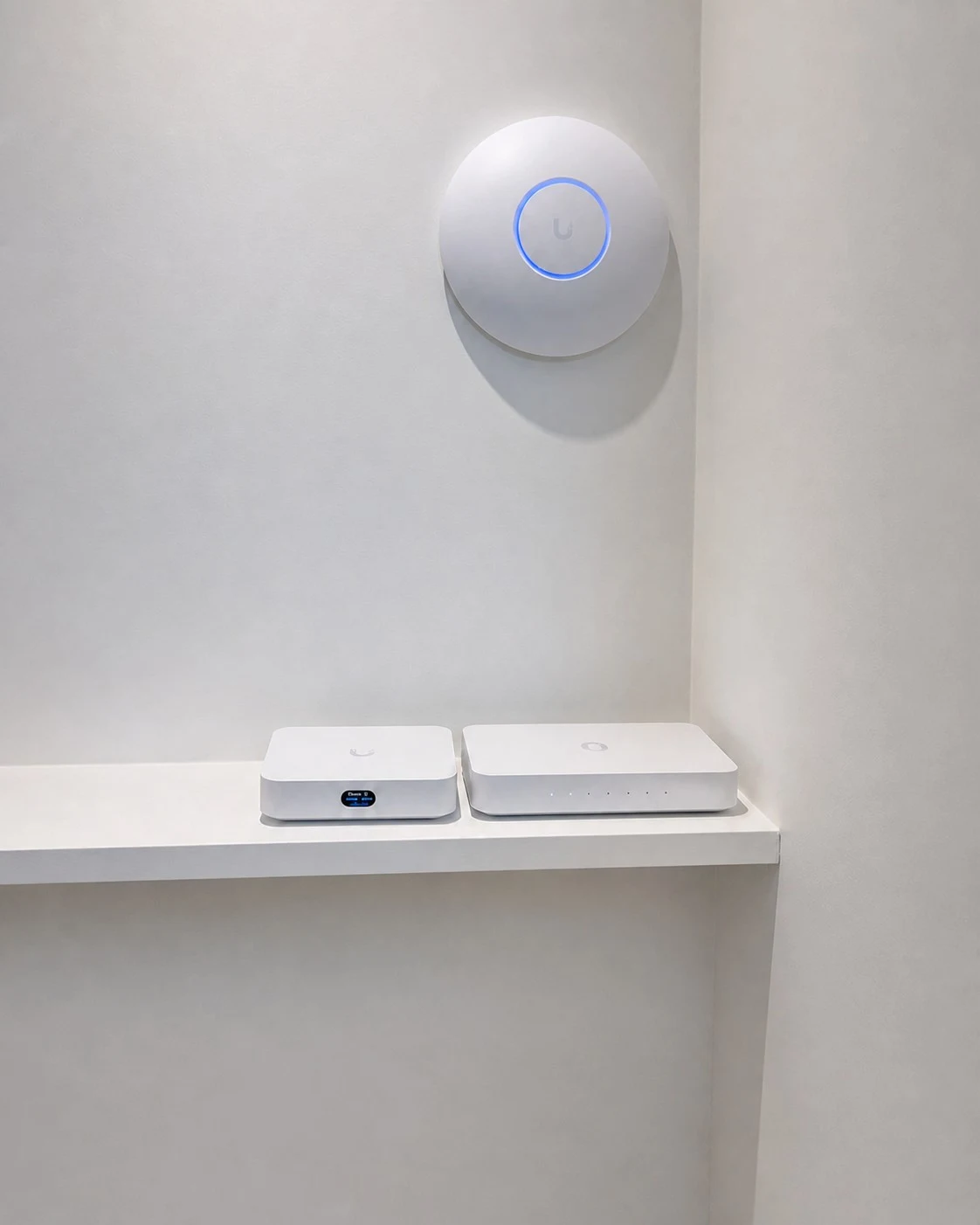
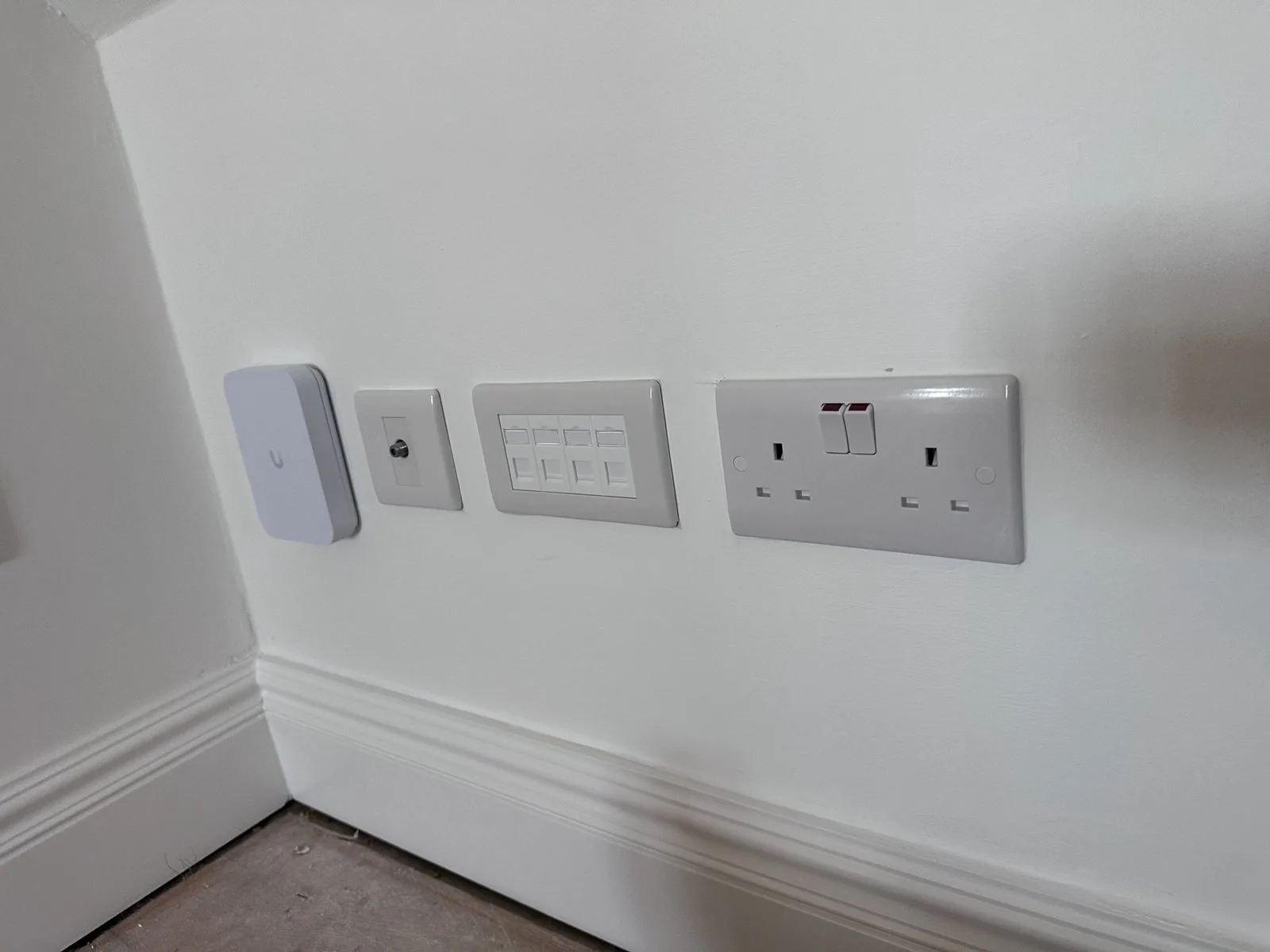
From our home-network portfolioA finished Ubiquiti access point and managed network installation — visible equipment kept simple, clean and easy to live with.
The plan before the products
One network designed around the actual property.
Coverage, cable routes and wired devices are surveyed before equipment is selected. Cat6 cabling is tested and labelled at handover, with wired access points and UniFi or TP-Link Omada equipment configured around the way the home is used.
SurveyedWeak rooms and practical routes
Cat6Tested and clearly labelled
Wired WiFiAccess points on a solid backbone
12 monthsWorkmanship guarantee
The questions homeowners ask first
Your Home Network Worries Answered in North London
Worried about visible cables, another WiFi system that still does not reach, replacing existing equipment or losing internet during the work? Here is what we check and agree before installation.
Explore the four questions01 / 04
01
Will network cabling be visible or make a mess?
Routes agreed before work starts
We agree every cable route, drilling point and visible section before installation starts. Where practical, we use lofts, cupboards, floor voids or discreet containment, protect the working area and leave it tidy. If part of a route must remain visible, you see and approve it first.
02
Will this actually fix the weak WiFi in the rooms I use?
Weak rooms tested and designed for
We test the rooms and devices that are struggling, check the incoming broadband connection and identify what walls, floors or distance are affecting coverage. The access points and wired connections are then positioned for those real weak areas rather than based on a theoretical WiFi range.
03
Will I need to replace my broadband router and existing equipment?
Keep compatible equipment where practical
Not automatically. We check whether your existing router, switches and connected devices can remain, then recommend only the equipment needed for the agreed result. The proposal also distinguishes a weak in-home network from an incoming broadband-speed problem that new WiFi equipment cannot correct.
04
Will my internet be off while the new network is installed?
Changeover planned around your household
There may be a short planned interruption when new equipment is connected and the network changes over, but installing the cable routes does not normally require the broadband to remain off. We agree the changeover timing, then reconnect and test the important wired and wireless devices before handover.
Start with the outcome you need
WiFi & Network Problems We Solve in North London
Choose the situation closest to your property to see how we improve weak coverage, unreliable rooms and difficult cable routes.
Swipe through the network situations ← →
01
Survey before equipment
Whole-Home WiFi Planning
For households needing dependable coverage across the rooms they actually use.
02
Stable fixed-device links
Wired Work & Media Points
For desks, televisions, consoles and network equipment that benefit from direct Cat6.
03
Controlled device separation
Managed Security & VLANs
For homes combining trusted computers, guests, cameras and smart products.
04
One planned property network
Extensions & External Buildings
For lofts, rear additions, studios and garden offices outside the original router footprint.
WiFi and structured cabling together
What Can We Install in Your North London Home?
A properly designed home network is fast, resilient and segmented for security. These are the wired and managed building blocks we can specify after surveying the property.
Swipe through the installation options ← →
01
Multi-Gig Structured Cabling
Cat6 runs to the rooms that need wired connections, with Cat6a available where full-distance 10-gigabit capability is required, terminated to keystone RJ45 wall sockets and a patch panel. Rated for 2.5G and 10G, so multi-gigabit internal transfers and NAS access are possible where the cabling run and connected equipment support them. Every drop tested for connectivity and labelled.
02
WiFi 6E / WiFi 7 on Wired Backhaul
Ceiling and wall access points hardwired back on Cat6a — not daisy-chained mesh hops that halve your speed. One SSID, fast roaming across every floor and the garden, and full throughput in the rooms that used to drop. WiFi 6E and WiFi 7 ready.
03
VLAN Segmentation & Firewall
Separate, firewalled networks for Main, Work, IoT, CCTV and Guest. Firewall rules control exactly what can talk to what — so correctly configured firewall rules can restrict IoT devices from reaching work devices and file storage. This is the single biggest security upgrade most homes are missing.
04
CCTV & IoT on Isolated Networks
Your cameras, doorbell, smart bulbs and plugs live on their own VLAN — able to do their job, walled off from everything else. Cameras record to the NVR without touching the internet or your main LAN. PoE means one Cat6a run powers each device, no wall-warts.
05
Managed Gateway & Switching
A proper gateway and PoE-managed switch (Ubiquiti UniFi or TP-Link Omada) replaces the ISP all-in-one, which goes into bridge mode. Single-pane management, per-device controls and remote monitoring — so I can support and tune your network without a call-out.
06
Network Rack, Patch Panel & Handover
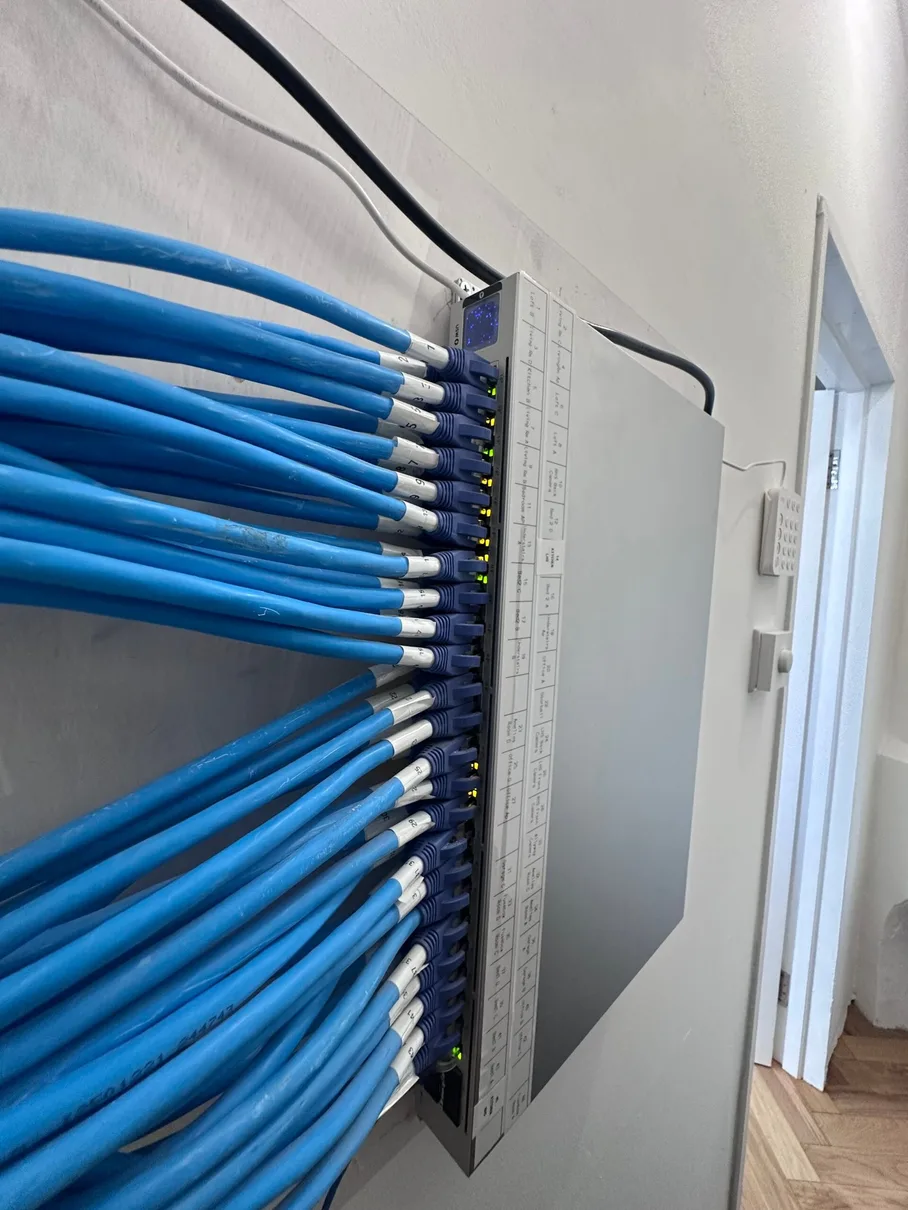
Everything terminated neatly in a wall-mounted rack — gateway, switch, patch panel and power in one tidy spot. You get a labelled patch panel, a network diagram and documented VLANs, so any future work is quick and clean.
Real installation detail
Our Home Network Installations
Real CAT6, WiFi and structured network installs across North London — tested, labelled and tidy.
Swipe through genuine installation details01 / 06
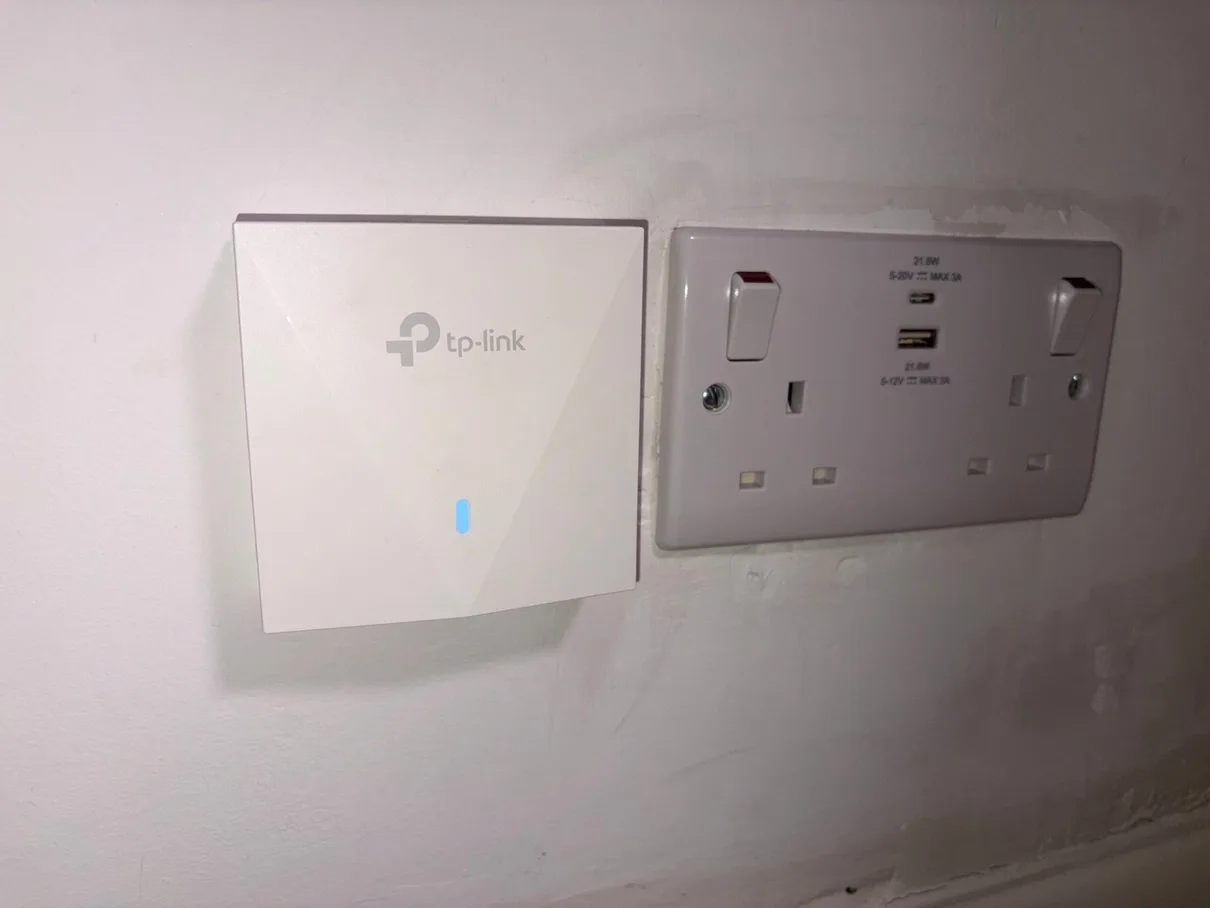
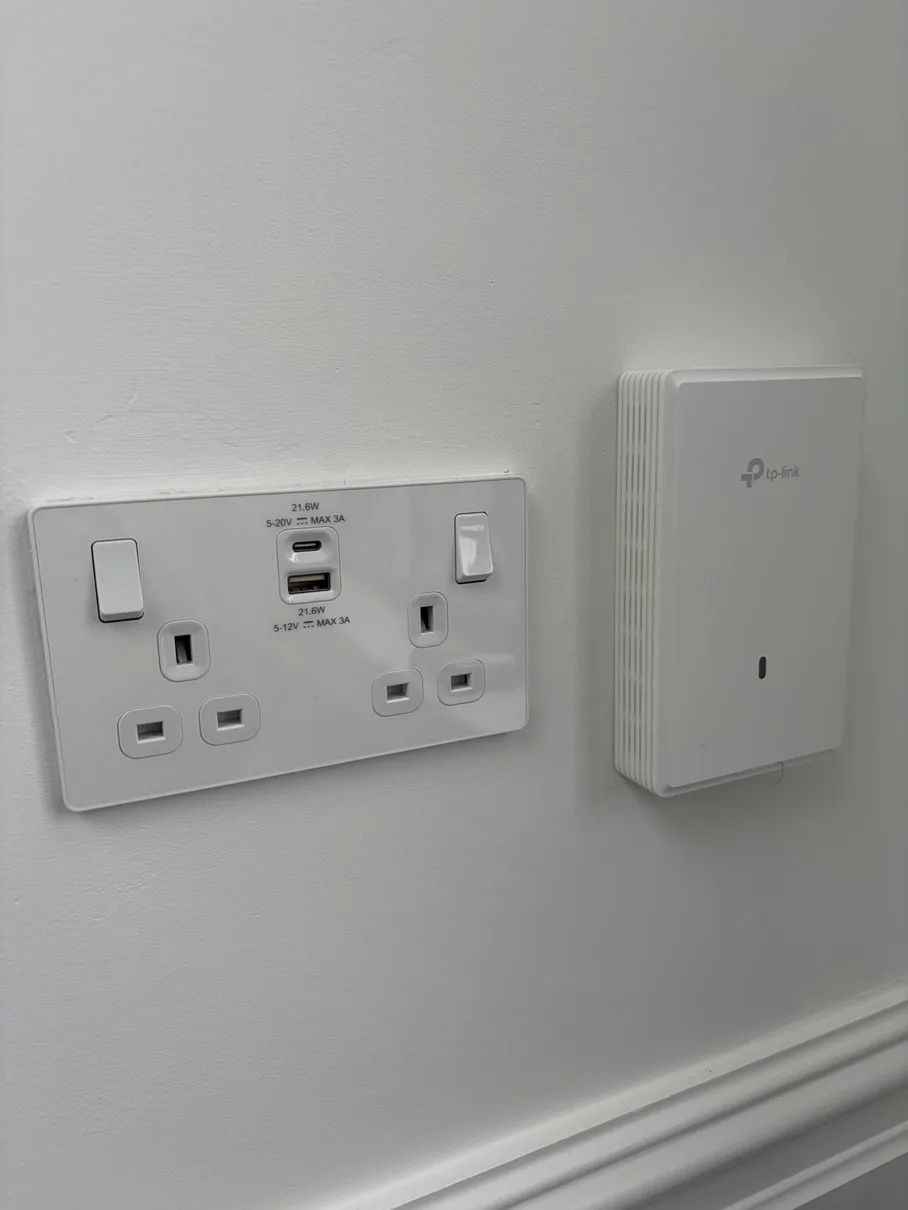
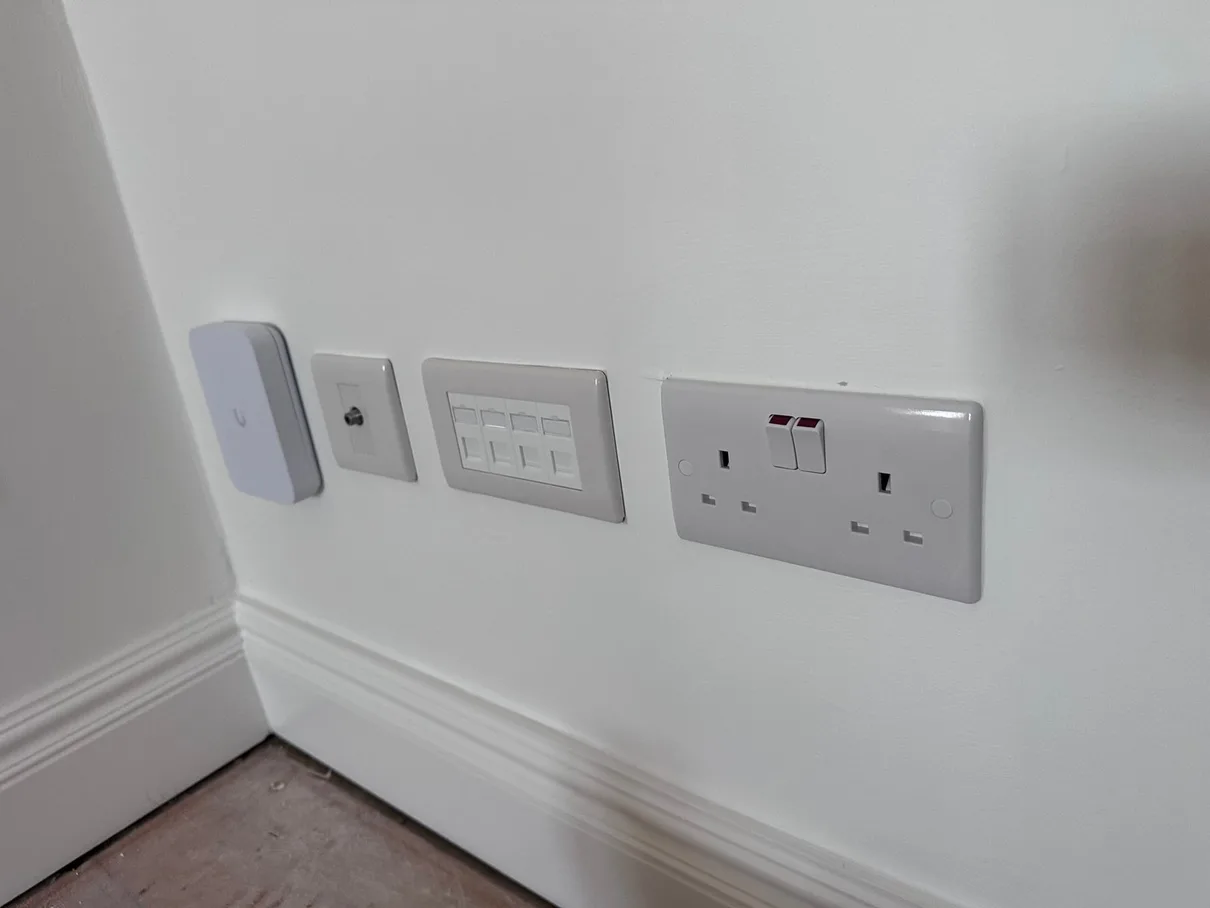
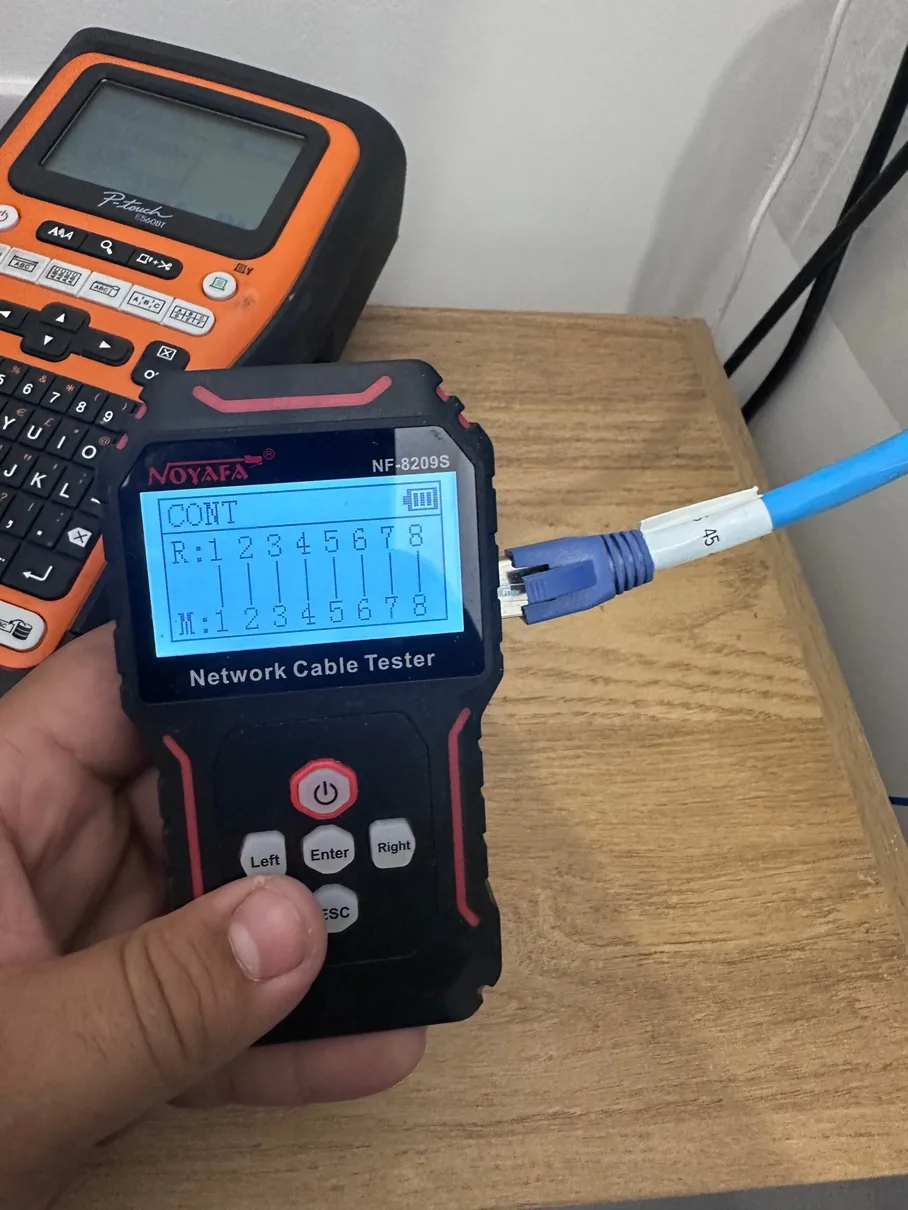
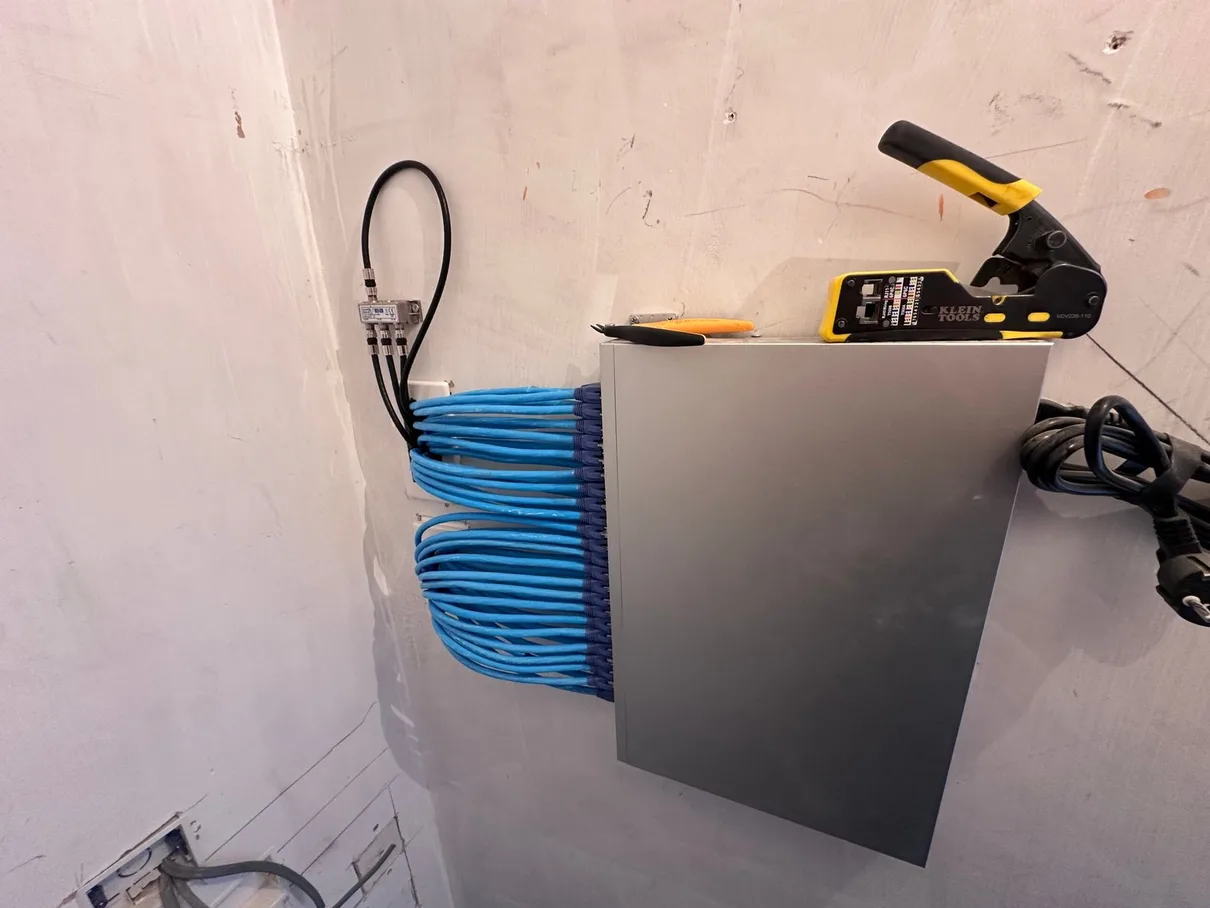
Installation 01TP-Link EAP flush-mounted access pointWired backhaul, positioned to serve the room rather than repeat a weak signal.Installation 02TP-Link EAP with double USB socketPower and connectivity brought together in one neat installation.Installation 03Ubiquiti access point and four-port Cat6 data plateWireless coverage and fixed-device connections planned on the same wall.Installation 0424-port Cat6 patch panelRoom and floor connections brought back to one labelled, maintainable point.Installation 05Every installed cable tested before handoverConnectivity is verified and the destination recorded rather than assumed.Installation 06Cat6 runs terminated inside a network cabinetA clean central point, ready for the selected gateway, switch and patch leads.
What Our Customers Say About Us
Real reviews from homeowners across North London. Live Google reviews below — for all 388+ reviews across Google, Checkatrade and MyBuilder, see our testimonials page →
A clear, six-step process — from free survey to a tested, documented handover.
Swipe through the installation process ← →
01
Free Site Survey
We visit your property to assess layout, construction, and usage requirements. We identify optimal cable routes, access point locations, and discuss your connectivity needs in detail.
02
Custom Design & Quote
We create a bespoke network design with cable plans, equipment specifications, and a detailed written quote covering labour and all materials. No hidden costs.
03
Cable Installation
Professional CAT6 cabling installed through walls, ceilings, and voids. We use proper cable management, trunking where needed, and protect your property throughout.
04
Termination & Testing
All cables are terminated to professional RJ45 sockets or patch panels. We test every connection for continuity and negotiated link performance against the installed cabling and connected equipment.
05
Equipment Setup
If you're having WiFi access points or network equipment installed, we configure everything for optimal performance — including SSID setup, security, and clean handover between access points.
06
Testing & Handover
Full system testing, speed verification, and demonstration. You receive documentation, WiFi passwords, and guidance on managing your new network infrastructure.
Recurring real-world scenario
The broadband is fast beside the router, but unreliable where the household actually needs it.
This reflects a real-world network problem we come across frequently in North London homes: broadband speed at the entry point and useful coverage around the property are not always the same thing.
01Listen
The homeowner identifies the rooms, devices and times when dropouts or slow connections cause the most frustration.
02Separate the fault
We compare the incoming broadband connection with the in-home WiFi and wired network so new equipment is not asked to solve the wrong problem.
03Plan the backbone
Useful Cat6 routes and access-point positions are agreed around the building, finishes and the way each room is used.
04Prove the result
Installed runs, wired devices and wireless coverage are tested, labelled and explained before handover.
A clear starting point
Home Network & WiFi Packages
Quick reference for North London homeowners. Fixed quotes given after a free site survey.
Final price confirmed after a free site survey. No obligation.
01
What the customer is really buyingReliable rooms, calmer working days and a network that no longer needs constant attention.
A network should support the home quietly
The best result is not more equipment. It is confidence in every room.
A fast broadband package can still feel unreliable when the router is in the wrong part of the property, solid walls block the signal or fixed devices are competing over WiFi.
We start with the rooms that matter: the desk used for video calls, the television that buffers, the loft room that drops out or the garden office beyond the original house. Then we separate the incoming broadband problem from the in-home network problem.
The solution may be one better-positioned access point, a few carefully chosen Cat6 points or a complete managed network. The equipment follows the survey, not the other way around.
The principle
Use wired connections for the fixed jobs, place wireless coverage where people actually use it, and leave the whole system understandable at handover.
The property changes the plan
Property-Specific Network Planning in North London
Four property and usage patterns that affect cable routes, access-point positions and equipment choices in North London. Construction, ownership and room use change the correct network design.
Explore the four property contexts01 / 04
Swipe or use the arrows ← →
01
Whole-Home WiFi Planning
Southgate, Palmers Green, Winchmore Hill, Wood Green, Enfield
Common challengeFor households needing dependable coverage across the rooms they actually use. How is a whole-home network designed? Wall construction, room use, the broadband entry point, neighbouring networks and available cable routes all need to be checked before equipment quantity or position is fixed.
Our approach
Survey construction, room use and cable routes before deciding access-point positions and equipment quantities. We test the weak areas, identify wired-device and wireless requirements, agree Cat6 routes and position access points so coverage, roaming and future maintenance follow the real layout.
02
Wired Work & Media Points
Bounds Green, New Southgate, Arnos Grove, Oakwood, Cockfosters
Common challengeFor desks, televisions, consoles and network equipment that benefit from direct Cat6. Which devices should use Ethernet instead of WiFi? Wall construction, room use, the broadband entry point, neighbouring networks and available cable routes all need to be checked before equipment quantity or position is fixed.
Our approach
Prioritise fixed high-use equipment and locations where latency or consistent throughput matters. We test the weak areas, identify wired-device and wireless requirements, agree Cat6 routes and position access points so coverage, roaming and future maintenance follow the real layout.
03
Managed Security & VLANs
Meridian Water, Edmonton Green, Angel Edmonton, Wood Green Regeneration
Common challengeFor homes combining trusted computers, guests, cameras and smart products. When are VLANs useful at home? Wall construction, room use, the broadband entry point, neighbouring networks and available cable routes all need to be checked before equipment quantity or position is fixed.
Our approach
They help separate device groups and control access between them when managed equipment is appropriate for the household. We test the weak areas, identify wired-device and wireless requirements, agree Cat6 routes and position access points so coverage, roaming and future maintenance follow the real layout.
04
Extensions & External Buildings
Edmonton, Wood Green, Tottenham, Enfield Town, Palmers Green
Common challengeFor lofts, rear additions, studios and garden offices outside the original router footprint. How are added spaces connected permanently? Distance, outdoor exposure, electrical separation and the need for dependable upload as well as download performance make a repeated indoor WiFi signal a poor design assumption.
Our approach
Use a route-specific Cat6 or fibre backbone with a local outlet, switch or access point where required. The route is measured for protected copper or fibre, with suitable containment, termination, earthing considerations where applicable and a local switch or access point sized for the devices in the separate space.
Connected local guidance
Home Network & WiFi Installation Across 8 North London Boroughs
Answers for North London properties, followed by practical questions about cabling, access points and managed networks.
01What does home or office network installation cost in North London? What does the £99 starting price include?+
The £99 starting price is specifically for either:
A single wireless access point (WAP) install within reach of your existing router, or
Swap-and-commission of an existing access point — replacing a faulty / outdated AP with a new one and configuring it on your network
Everything else gets quoted after a free site survey: multiple ethernet drops, full-home structured cabling, garden-office runs, office network setups with switches and racks, point-to-point bridges. We walk the property, plan cable routes, signal-test for dead zones, then send you a written fixed quote.
What changes the quote: number of network points / RJ45 sockets, cable routing complexity (loft access, brick walls, soffit boxing, conduit), managed switch / patch panel needs, wireless access points, and any outdoor or outbuilding extensions.
One trip, fixed quote, no daily-rate creep. Business installs itemised so they may be tax-deductible — check with your accountant.
02Why do I have WiFi dead zones? What actually fixes them?+
WiFi blackspots in homes and offices come from physics — wireless signal weakens through brick walls, foil-backed insulation, and distance from the router. Common dead-zone patterns:
Upstairs rooms when the broadband router is downstairs (many UK homes)
Far corner of the office away from the modem
Garden offices, sheds, outbuildings — no signal at all
Bathrooms / kitchens with foil-backed plasterboard or appliances blocking signal
WFH / Zoom dropouts when too many devices share one router
What actually fixes it (in order of effectiveness):
Hardwired ethernet to a second access point — best fix, provides the most reliable long-term coverage
Mesh WiFi system with 2–3 nodes (TP-Link Deco, Eero, Netgear Orbi)
Powerline adapter (HomePlug / ethernet over power) — cheap stopgap if cable runs aren’t possible
Move the router — sometimes solves 50% of the problem for free
What doesn’t work long-term: WiFi extenders / repeaters cut speed in half. We rarely recommend them.
03Mesh WiFi vs ethernet cabling vs powerline — which is right for my home or office?+
Each has its place:
Mesh WiFi (wireless mesh network) — multiple nodes talking to each other wirelessly. Good for 3-bed homes, single-floor offices, no cable runs needed. Limitations: speeds drop with each hop; thick walls still problematic.
Ethernet cabling (CAT6 / CAT6A hardwired structured cabling) — proper network cable to network points throughout your space. Good for gigabit speeds at every socket, future-proofing, larger and business properties. The gold standard.
Powerline adapters (HomePlug / ethernet over power) — sends data through your existing electrical wiring. Good for cheap fix or single dead room. Limitations: speeds drop sharply on older wiring or split RCBOs.
Our default for most installs: CAT6 ethernet to 2–4 access points — wired backbone, wireless coverage. For tight budgets or rentals, a 3-node mesh kit. Powerline only as a temporary fix.
04Is my ISP's router (BT, Sky, Virgin, EE business broadband) good enough? When should I upgrade?+
Honest version: most ISP-supplied broadband routers / hubs / gateways are designed cheap, not great. They cover the room they’re in and a bit beyond.
ISP routers tend to fail when:
House is more than 2 bedrooms or has thick walls
More than ~10 connected devices (modern households + smart home easily hit 30+)
Garden office, loft conversion, or outbuilding needs coverage
You’re on Zoom/Teams while someone else streams 4K
Business broadband but you’re running off the freebie hub from BT Business / Virgin Business
What we install instead:
Keep your ISP modem (it terminates the broadband line)
Disable its WiFi
Add a proper router or PoE switch + one or more wireless access points
For small business: a managed UniFi or TP-Link Omada setup with VLAN-ready guest WiFi
This isn’t ‘rip out and replace’ — we layer proper networking on top of your existing broadband.
05Can you set up our office network? Multiple workstations, guest WiFi, printer, VoIP, all in one go?+
Yes — we install small-business and office networks across North London. Standard small-office setup includes:
Structured CAT6 cabling to each workstation (typically 2 ethernet points per desk — primary + spare)
PoE switch (8/16/24-port depending on size) to power access points and IP phones
Wireless access points ceiling-mounted for full coverage
Separated guest WiFi (VLAN-isolated from your business network)
VoIP-ready — handsets plug into PoE switch directly
Printer / NAS / shared drives properly addressed on the network
Patch panel + small wall-mount rack if space allows
We work around your business hours — most installs in one full day or split over a weekend to avoid downtime. Hand-over with a network map, switch port labelling, admin login details. Invoice itemised for tax/accounts purposes. Final price quoted after a free site survey. Running a shop, café or restaurant rather than an office? See our dedicated commercial network installation page for guest WiFi, till/POS separation and trading-hours scheduling.
06What's a wireless access point (WAP) and how many do I need for my home or office?+
A wireless access point (WAP, also called AP or hotspot) is a ceiling- or wall-mounted device that broadcasts WiFi. Unlike a router, it doesn’t manage your internet — it just provides wireless coverage. Powered by ethernet (PoE), one cable run does both data and power.
How many you need:
Small flat / 2-bed home — 1 access point (often well-placed router is enough)
3–4 bed home / typical UK semi — 2 access points (one upstairs, one down, hardwired between)
Small office (up to 10 staff, single floor) — 2 access points (front + back of office)
Multi-floor office or warehouse — 3–6 access points, one per zone
Why APs beat consumer mesh: dedicated APs (UniFi, TP-Link Omada, Netgear) handle 50+ devices each, support fast handover between APs, and don’t slow with each hop. Mesh is a consumer compromise; APs are the proper solution.
07Can you run ethernet through walls, floors, or ceilings without ripping the place open?+
Yes — minimal-mess routing is what we specialise in. Standard routes:
Loft → down internal wall (most common — single cable from loft to a downstairs office or living room socket)
Soffit boxing → loft (external runs from upstairs to garden office, around fascia)
Existing conduit / plastic trunking along skirting where loft access doesn’t reach
Under floorboards — lift one or two boards, run, replace (usually invisible after)
Lift carpets at edges for short ground-floor runs
What we never do: chase brick walls or knock holes for cable. If a route truly isn’t achievable, we use cable conduit matched to fascia colour and tell you upfront.
Cable type:CAT6 by default (gigabit, future-proof for most homes/offices). CAT6A if you want 10Gb-ready (heavier cable, more cost, worth it for new commercial fit-outs). CAT5e only on existing intact runs.
A typical 4-point home install — no holes in painted walls, no chasing brick.
08Why does my WiFi keep dropping during Zoom, Netflix, or Teams calls?+
Frustrating, and almost always router or signal-side, not your broadband line. Common causes:
Router can’t handle device load — 30+ connected devices is normal in modern households + smart home; ISP routers struggle past 15
WiFi 5 router on a WiFi 6/6E phone or laptop — backwards compatible but slower than it should be
Channel interference — neighbours’ WiFi on the same 2.4GHz channel, microwaves, baby monitors, Bluetooth
Distance — your laptop drops to 2.4GHz when far from the router; speeds halve
Router firmware out of date — never updated
Quick test: plug your laptop directly into the router via ethernet for the next call. If stable wired, your WiFi is the problem. If still dropping, the broadband line is — call the ISP.
Proper fix for hybrid workers and home offices: dedicated access point near your work area + ethernet-backhauled. A wired-backhaul design is intended to provide a stable, low-latency connection; final performance still depends on the broadband service and connected equipment.
09TP-Link, UniFi, Netgear, Eero, Asus — which brand do you install and why?+
We install based on use case, not loyalty:
TP-Link Deco / Eero (Amazon) — best for straightforward home mesh. Easy app, decent speeds, good value
UniFi (Ubiquiti) — best for prosumer homes + small-medium business. Enterprise-grade, ceiling APs, managed switches, free network controller. Our most-recommended for offices
TP-Link Omada — UniFi-like business range at a slightly lower price point. We install both
Netgear Orbi — solid premium home mesh, more expensive than Deco/Eero, comparable performance
Asus / Linksys — fine for tech-confident DIY, less good for the install-and-leave market
Avoid for permanent installs: BT/Virgin/Sky branded mesh extensions (locked into their ecosystem), Google Nest WiFi (subscription-driven, declining feature set)
Default choice: Deco for budget homes, UniFi for offices, large homes, tech-fluent households, Omada when budget matters but you want managed gear.
10Will I get reliable WiFi in my garden office, shed, detached unit, or warehouse extension?+
Yes, where the survey confirms a suitable protected cable route or point-to-point wireless path. Two approaches:
Approach 1: Ethernet under-conduit (preferred)
Run external CAT6 in PVC conduit from house to outbuilding
Cable buried 30cm minimum if going under a path/lawn, or surface-clipped along fence
Outbuilding gets a wired access point — full gigabit, indistinguishable from house WiFi
Same network, same SSID — your phone hands over without you noticing
Approach 2: Wireless point-to-point bridge (if cable run is impossible)
Two directional antennas — one on the house, one on the outbuilding
Up to 100m line-of-sight, gigabit speeds
Slightly higher than ethernet, more weather-dependent
For business yards and warehouses: outdoor PoE access points (rated IP66) covering loading bays and exterior staff areas. Common in North London for trade businesses with secondary buildings.
Final cost quoted after a free site survey — depends on cable distance to the outbuilding, ground conditions, and any wall-mounting needed.
11Do you offer guest WiFi separation, VPN access, or ongoing support contracts?+
Yes — these are standard features of every business install:
Guest WiFi (VLAN-isolated) — separate network for visitors / customers / non-staff. They can’t see business devices or files. Set up on a different SSID, timer-based access if you want
Staff WiFi — main business network with access to printers, shared drives, NAS
VPN access — remote workers / managers logging in from home or on the road. Site-to-site VPN if you have multiple offices
Network monitoring — UniFi/Omada dashboard shows live device activity, who’s connected, any unusual traffic patterns
Pay-per-callout standard — same callout structure as our electrical work
Monthly support packages available on request, priced based on network size and on-site response time you need
For homes: same guest WiFi separation included on UniFi installs, no contract needed unless you want one.
12What's the install process — disruption, time, and ongoing support?+
Typical install timeline:
Free site survey first — we walk the property, identify cable routes, signal-test for dead zones, agree the design with you. Free, no obligation
Written fixed quotation after the scope is confirmed, itemised
Install day — typically one full day for a 4-point home, one to two days for a small office
Standard hours: 9am–5pm. For businesses we can split into evenings or weekends to avoid downtime
During the install:
Loft access needed (we provide a ladder, take care of insulation)
Cable routing minimises drilling — usually just 2–3 pinhole entries through internal walls
We hoover, take all packaging, and bin the old kit
Hand-over:
Network map showing every cable run + AP location
Admin login details for routers/switches
Phone-app setup for the WiFi
Walk-through with you before we leave
12-month install warranty: if anything we installed stops working within the first year, ring us and we’ll come back at no extra charge. After 12 months, our standard £100 callout applies. Most issues troubleshoot remotely first.
13Will this fix dropped Zoom and Teams calls when I work from home?+
It can help where dropped video calls are caused by WiFi coverage or contention rather than the incoming broadband service. A wired connection to your home-office desk, or a WiFi 6E/7 access point on wired backhaul nearby, gives your work devices a stable, low-latency link that doesn't compete with the rest of the house. Most people working from home across North London notice the difference immediately — no more freezing mid-meeting.
14Can you reduce lag for online gaming?+
Yes. Lag and jitter come from congested WiFi and long mesh hops. A wired Cat6a run to the console or gaming PC gives the lowest, most consistent ping; where a cable isn't possible, a WiFi 6E access point on the clean 6GHz band keeps the gaming device off the congested 2.4 and 5GHz bands. On a managed gateway I can also prioritise gaming traffic so a big download never spikes your ping mid-match.
15Will I get reliable 4K and 8K streaming in every room?+
It can help where buffering is caused by local WiFi coverage or capacity rather than the incoming broadband service. With WiFi 6E/7 access points wired back on Cat6a, the surveyed rooms can receive appropriately planned coverage, with capacity checked against the expected streaming load. For the main TV I'll usually run a dedicated wired point so the main stream does not have to compete for local WiFi airtime.
Professional CAT6 structured cabling and mesh WiFi installation across all North London areas including Edmonton, Enfield, Palmers Green, Southgate, Wood Green, Winchmore Hill, Chingford, and more. Free site survey, fixed prices, fully tested and labelled on completion.
From £99Free site surveyCat6 & WiFiNICEIC Registered
NICEIC registration D609991 (verify) · 15+ years' experience working in North London. Applicable electrical work is inspected, tested and certified, with Part P notification where required, and our workmanship is guaranteed for 12 months.
Book Your Free Home Network Site Survey
Tell us about your property and what you need — we'll respond during working hours to discuss the scope and prepare a written quotation.
📡
TP-Link Omada & Ubiquiti UniFi Specialists
We install and configure professional TP-Link Omada and Ubiquiti UniFi Wi-Fi 6 / Wi-Fi 6E systems — enterprise-grade WiFi and managed switching sized for homes and small businesses.
🎉
NICEIC Registered
Network cabling is tested and labelled at handover. Any associated electrical work is inspected, tested and supplied with the appropriate certification where applicable.
📲
Full Setup & Testing
Every cable tested for connectivity, WiFi configured and optimised, and everything handed over working before we leave. 12-month workmanship guarantee. Manufacturer hardware warranties vary by product and supplier — we'll confirm these in your quote.
💰
Fixed Price Quotes
From £99 per network point. No surprises — we agree the full price before any work begins.
✓
Site Survey Request Sent!
Thanks, we'll respond during working hours to discuss your home network project.
Your privacy choices
We use anonymous totals to improve this website. Optional analytics add fuller insights only with your permission. You can accept optional cookies, reject them or choose by purpose. See ourPrivacy & Cookie Policy.We count anonymous site totals. Optional analytics runs only with permission.Privacy policy.
Necessary
Required for security, enquiry forms and remembering your privacy choice.
Always active
Declining optional cookies or anonymous measurement does not affect the website or enquiry forms.