
Home Network & WiFi Installation in Arnos Grove N14, N11
Fast, reliable internet in every room — no dead zones, no dropped Zoom or Teams calls, and no lag when gaming or streaming 4K. I design and install fast, secure home networks in Arnos Grove N14, N11 — structured Cat6 cabling as standard (Cat6a available for full 10G), WiFi 6E/7 access points on wired backhaul, and managed gateways from Ubiquiti UniFi or TP-Link Omada. Crucially, I segment your network with VLANs, so your smart-home gadgets, CCTV and work devices sit on separate, firewalled networks. Designed like a business network, installed by a qualified electrician.
Who This Service Is For
Whatever "better WiFi" means for your household — here’s how I design for each.
For Homeowners
Better WiFi in every room — properly fixed, not another extender.
No more dead zones in the back bedroom or garden. I run structured cabling and position access points correctly, so every room gets full-speed WiFi — with no ugly plug-in boosters.
For Home Offices
Rock-solid video calls and a dedicated, secure work connection.
A wired desk point, a properly placed access point, and — if you want it — a separate VLAN for work devices. Zoom and Teams stop dropping, and your files transfer at full speed.
For Smart Homes
CCTV, IoT and doorbells that work reliably — and can’t see your other devices.
Cameras, smart plugs, video doorbells and lighting all need a solid network to run properly. I design it in from the start, with IoT and CCTV isolated on their own network for security.
For Tech Users
UniFi or Omada, VLANs, multi-gig, NAS and rack setups — done properly.
If you want a serious setup — managed switching, 2.5G/10G backbone, PoE, a labelled patch panel and full VLAN segmentation — this is exactly the kind of network I build.
Why Choose Rudi Electrics
for Home Network Installation in Arnos Grove?
Your concerns answered — here's why Arnos Grove homeowners trust us to wire their homes for fast, reliable connectivity.
"Can you install the network points and power sockets at the same time? I don't want two different tradespeople."
Absolutely — and this is exactly where we shine. As qualified electricians, we install power outlets alongside network points in one visit. We can add dedicated circuits for your network equipment, install UPS-protected sockets, and ensure your entire home office setup has reliable power and data in the same job.
I’ve already tried WiFi extenders and mesh systems — how is this actually different?
Extenders and mesh repeaters just rebroadcast a weak signal — they don’t fix the root cause. I design the network properly: wired access points on structured cabling, positioned after a proper site survey, so you get full-speed WiFi and rock-solid connections for home working, gaming and streaming — not just a stronger version of the same problem.
"I've heard cheap network cable causes problems years later. What equipment do you actually use?"
We install premium Cat6 structured cabling as standard — Cat6a available where you want full 10-Gigabit runs — with professional-grade RJ45 sockets, and enterprise-quality network equipment. CAT6 future-proofs your home for the next 20+ years. We don't cut corners with cheap cable that fails — every component is specified to last.
"How do I know the network points will actually be in the right places for my home?"
Every installation starts with a free site survey. We walk your home, identify the best cable routes, position network points where you'll actually use them, and design WiFi coverage to eliminate dead zones in every room. Nothing is guesswork — you get a custom plan for your property before any work begins.
Home Network and WiFi Installation in Arnos Grove N14, N11
Arnos Grove is well covered from our base — we work here regularly. Home network installs are increasingly popular as more residents work from home and need reliable wired connectivity. The properties around the tube are predominantly 1930s semis built alongside the Piccadilly line — original fabric with wiring that often needs updating.
Local insight: Arnos Grove's solid pre-war construction blocks WiFi signal — which is exactly why structured Cat6 cabling, not another extender, is the reliable fix.
Most installs here run Cat6 cable through loft spaces and under floors to avoid surface trunking — every route planned during the free site survey. We can combine it with smart home installation on the same visit, as part of our wider home network & WiFi service across North London. For general electrical work, see our electrician Arnos Grove page. We also install home networks in nearby New Southgate, Bounds Green, Southgate and Winchmore Hill.
- 📱Smart home — cloud control & automation
- 📹CCTV — reliable live streaming & recording
- 💡Smart lighting — scenes & dimming
- 🔌EV charger — app control at the parking spot
What Our Customers Say About Us
Real reviews from homeowners in Arnos Grove N14, N11. Live Google reviews below — for all 358+ reviews across review platforms, see our testimonials page →



The cabling was exceptionally tidy, the equipment was mounted professionally, and he was happy to answer my questions throughout the installation. It was clear he takes real pride in the quality of his work.
What particularly stood out was his support after the installation. He remained responsive and was always happy to provide advice whenever I needed it, making sure everything continued to work as expected.
I would highly recommend Rudi to anyone looking for reliable, high quality network or electrical work. Thank you again for a fantastic job.


I really appreciated his honest advice—rather than recommending unnecessary work, he explained that the oven was currently functioning but that it appeared to have an intermittent fault, allowing the landlord to make an informed decision.
A reliable and trustworthy electrician. I wouldn't hesitate to recommend him and look forward to working with him again in the future.














The new fuse box installation was done to a high standard, and the hallway lights are now working perfectly. He also made sure everything was left clean and tidy afterwards, which we really appreciated. Overall, a very reliable and knowledgeable electrician who clearly takes pride in his work. I’d happily recommend Rudi to anyone looking for electrical work done.




Rudy managed to drop by and sort out my mess of a ceiling rose and light.
Found fault to resolve tripping fusebox all in short space of time. Very courteous too. Thank you Rudy. Stress free!





Would highly recommend for small or large Electrical job




Really happy with the work, everything was done professionally, cleanly and on time. He explained everything clearly and made sure the system was safe and up to standard.
Reliable, knowledgeable and easy to deal with. Would definitely recommend for any commercial electrical work.



Took the time to go through everything with me beforehand to ensure optimal functionality as well as helping to source the right equipment.
The work was completed quickly and professionally….a real pleasure and hassle free.


Professional, efficient and great communication. Highly recommended.


What really impressed me was that he managed to fit me into his already tight schedule and came out on a Sunday to do the installation. We had a break-in a couple of days ago, so I needed the security cameras urgently and he really helped by making it happen so quickly.
The installation was very neat and professional, he explained how everything works and made sure the cameras covered all the important areas around the house.
Highly recommend Rudi Electrics if you need CCTV or security cameras installed. Reliable, professional and very helpful when you need it most.





He also took the time to explain things in simple terms, which I really appreciated. Overall, a really positive experience – I’d happily recommend him to anyone looking for a reliable electrician.

He was professional, friendly, and knew exactly what he was doing. He got everything sorted quickly and made sure everything was safe before leaving.
Highly recommend if you need a reliable electrician, especially in an emergency.


I would thoroughly recommend Rudi for his skilled work, knowledge of electrics, friendly approach, and flexibility in working around a customer’s needs.


Our Home Network Installations
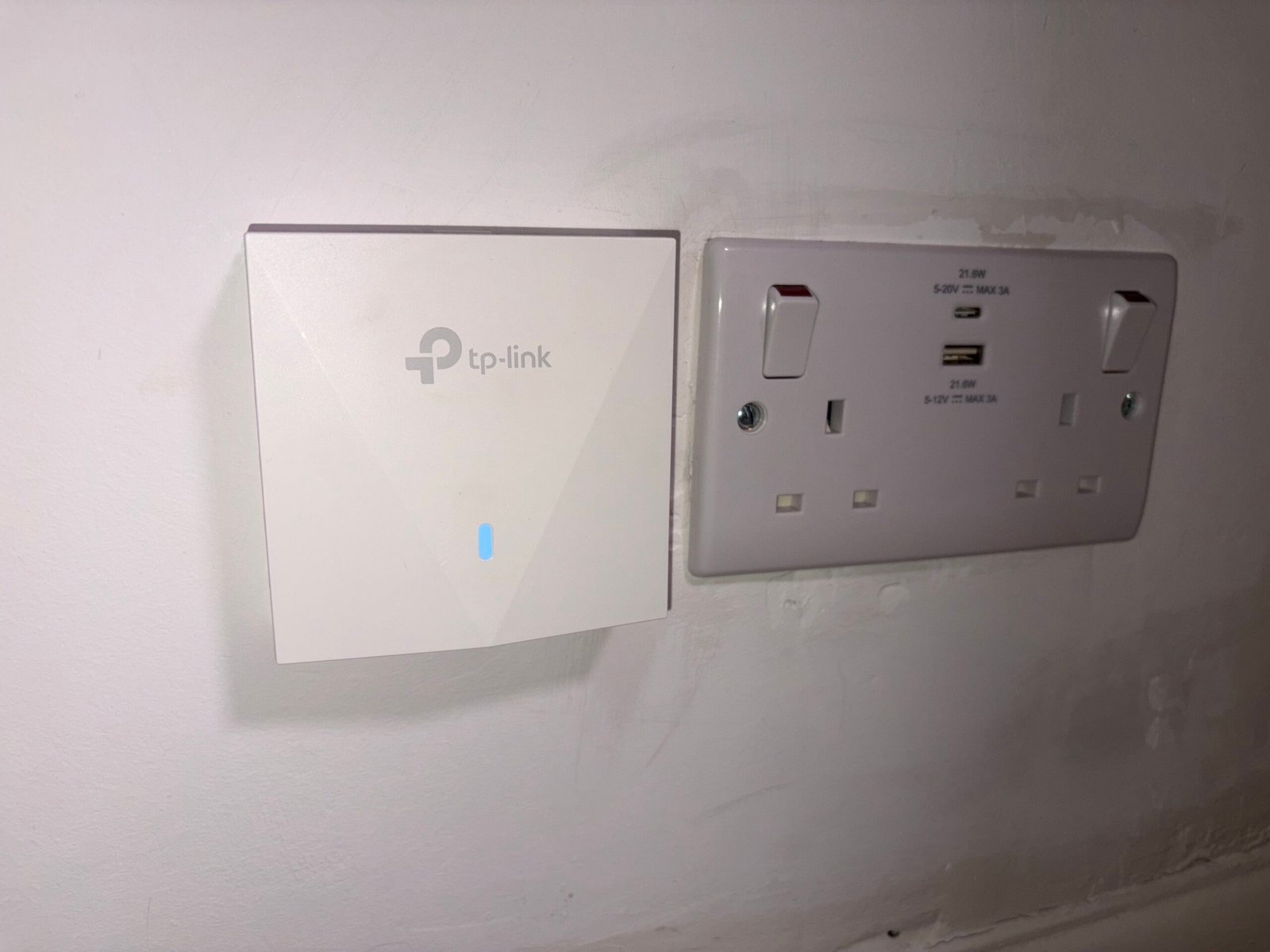
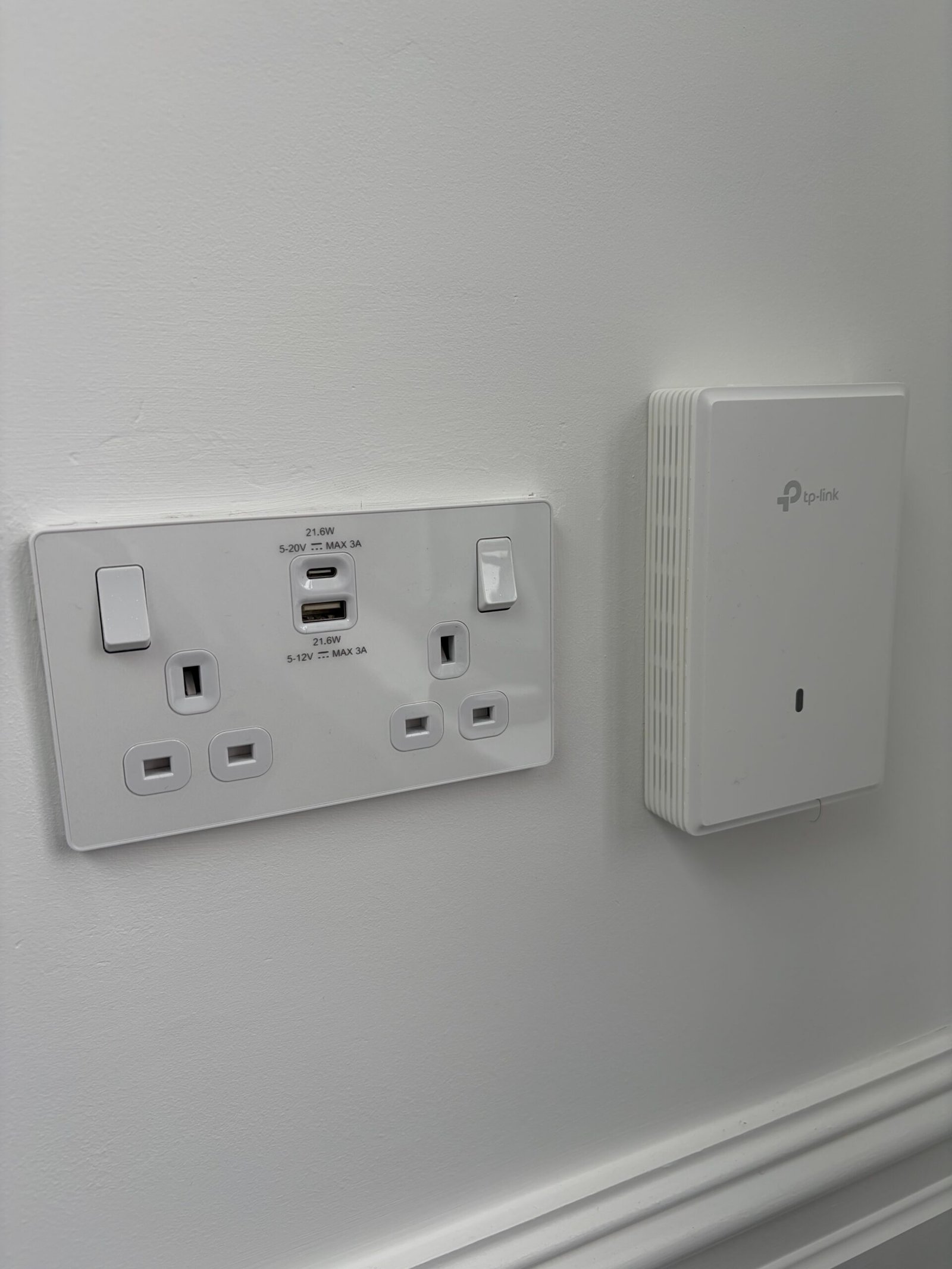
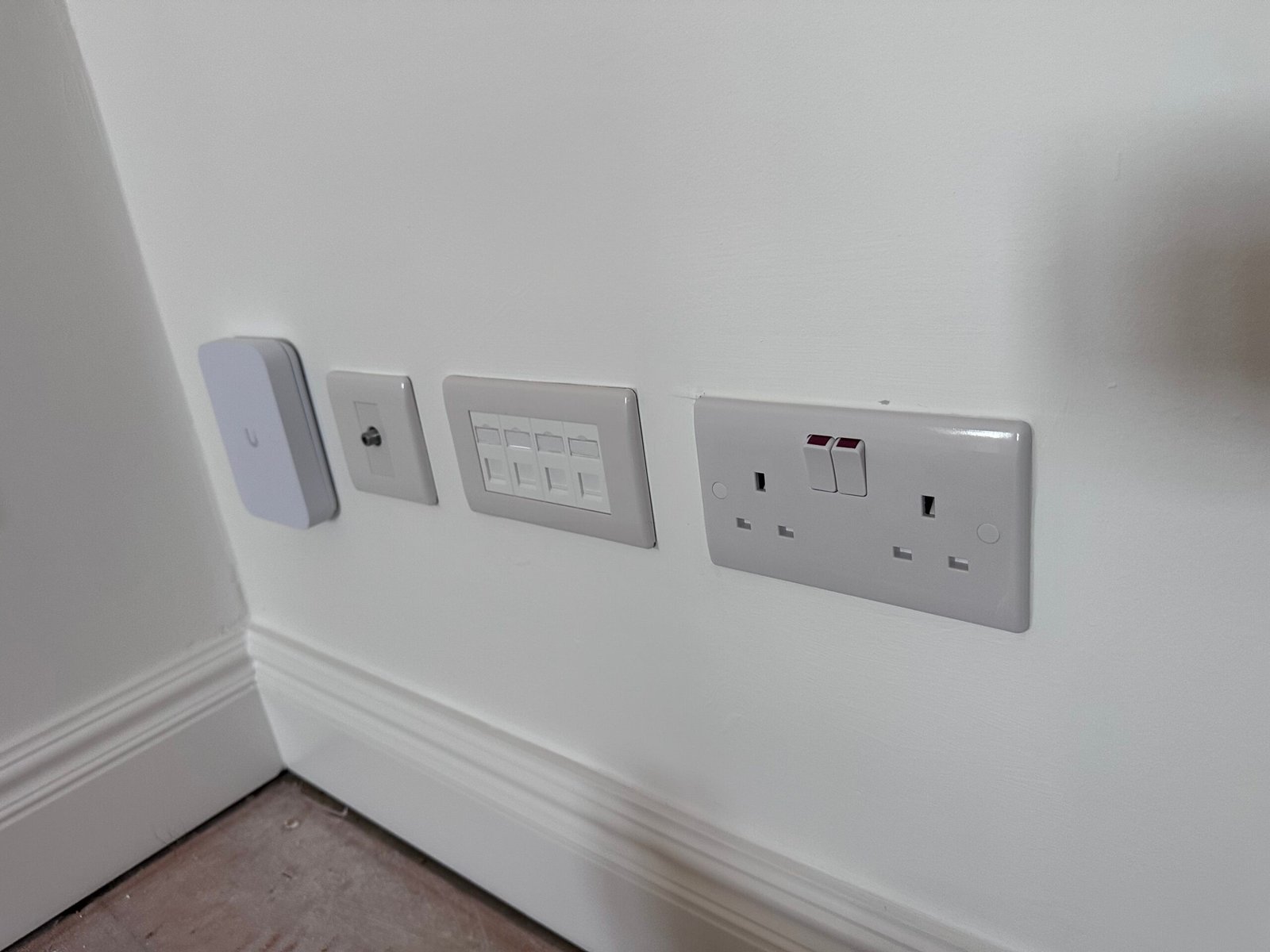
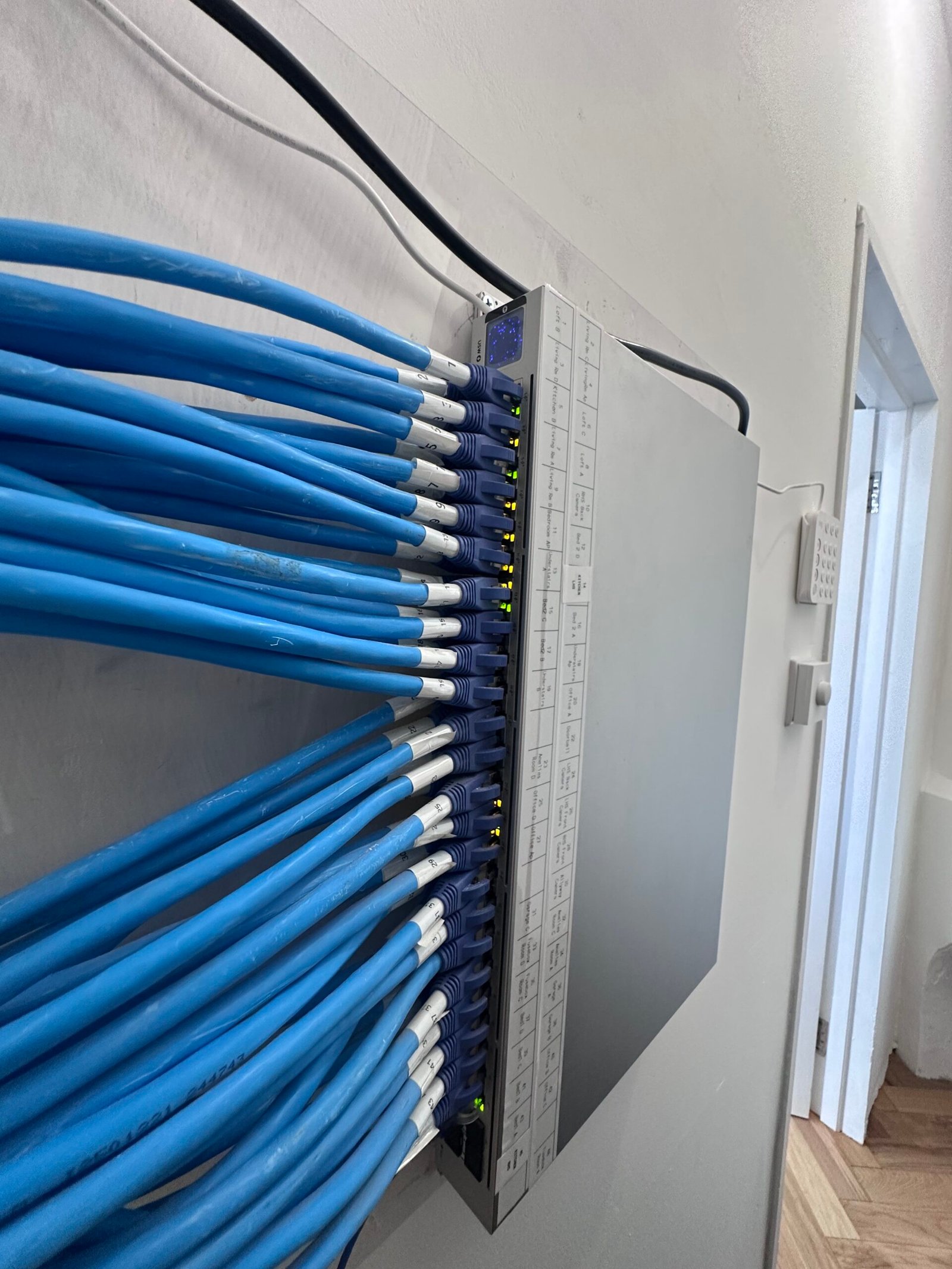
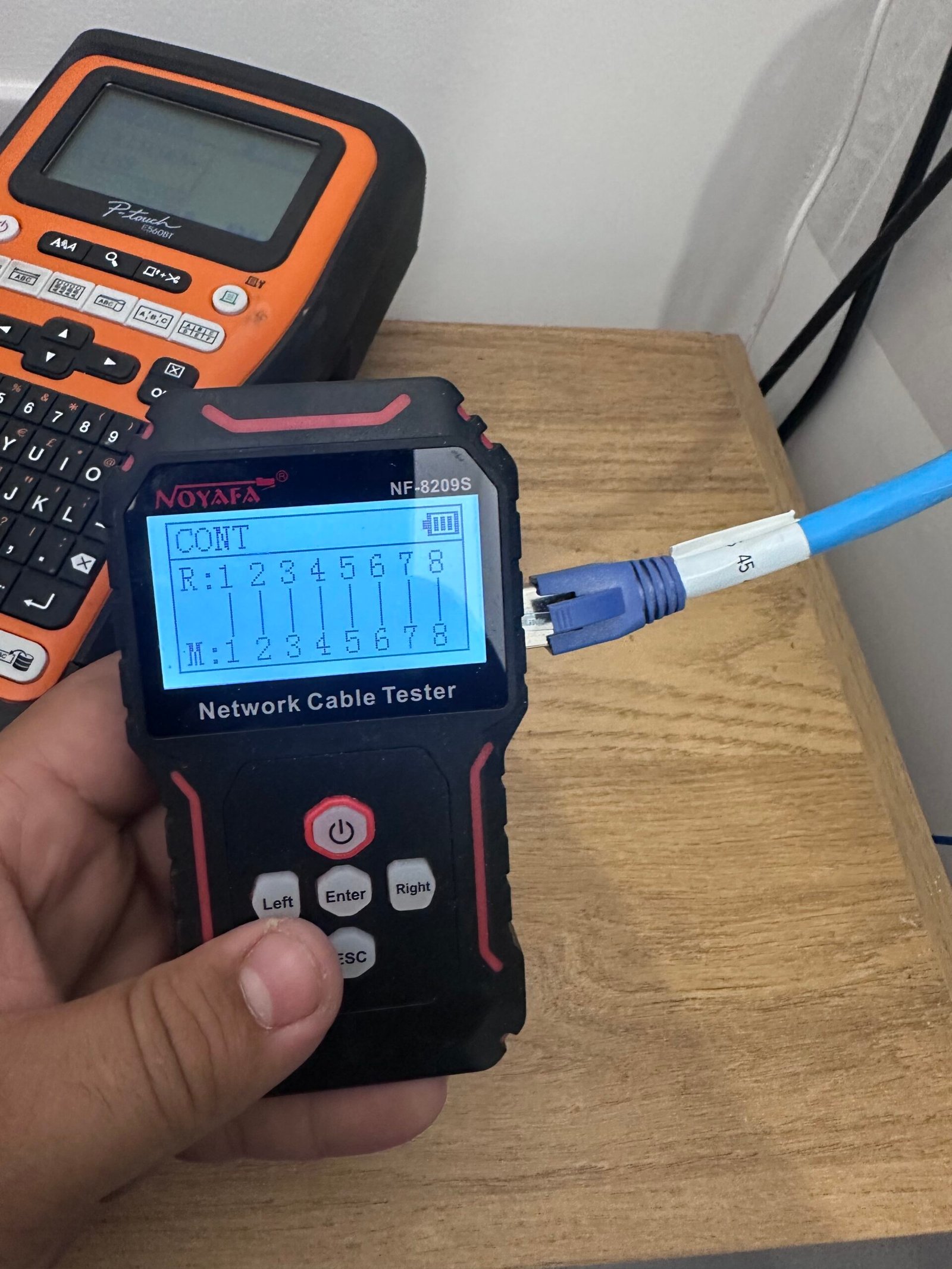
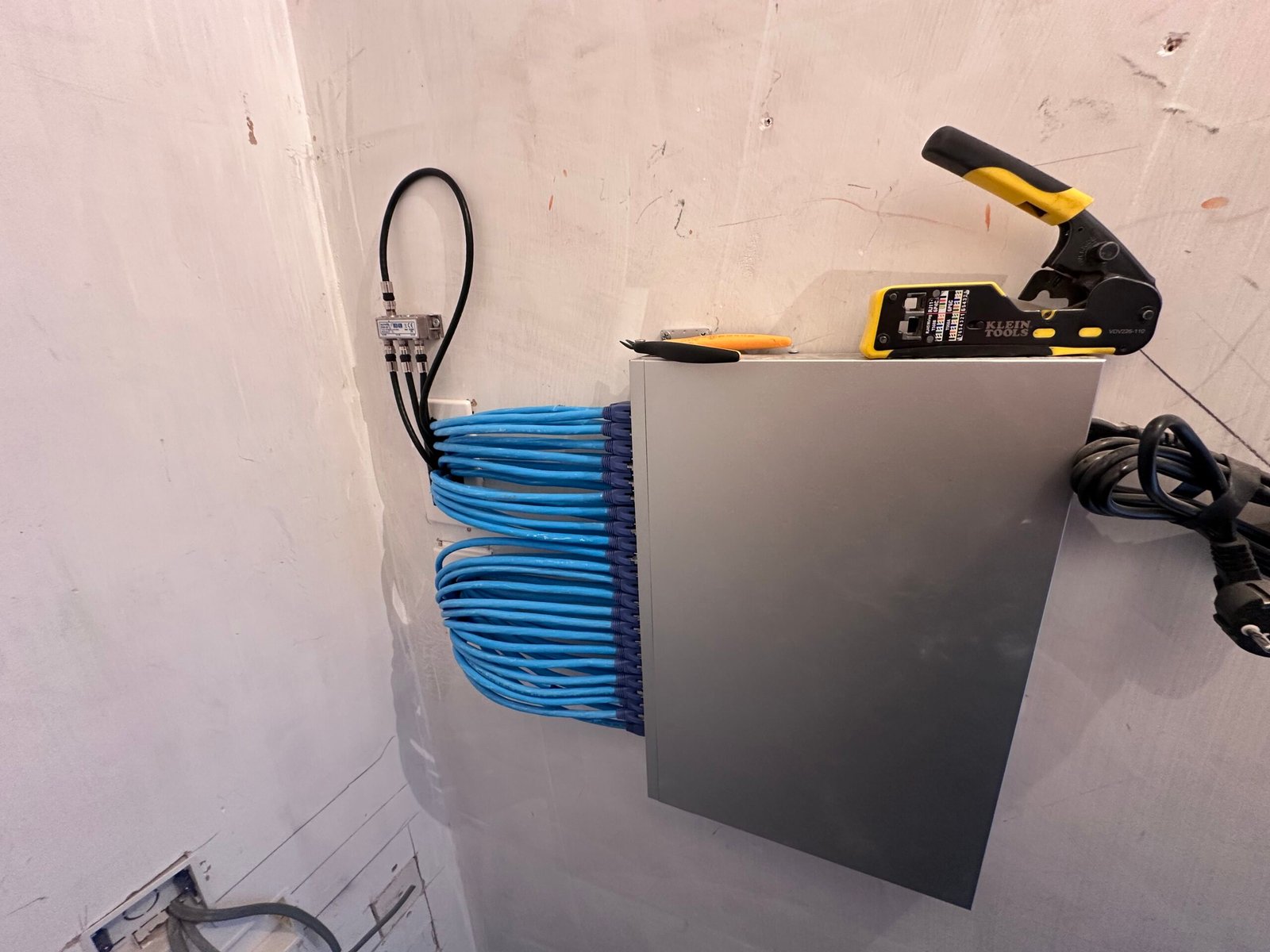
Real CAT6, WiFi and structured network installs across North London — tested, labelled and tidy.
What Can We Install
in Your Arnos Grove Home?
A properly designed home network is fast, resilient and segmented for security. Here's the stack I build for Arnos Grove N14, N11 homes and home offices.
Multi-Gig Structured Cabling
Cat6 runs to every room that needs them (Cat6a available for full 10G), terminated to keystone RJ45 wall sockets and a patch panel. Rated for 2.5G and 10G, so your internal transfers, NAS access and future hardware are never capped at 1Gbps. Every drop tested for connectivity and labelled.
WiFi 6E / WiFi 7 on Wired Backhaul
Ceiling and wall access points hardwired back on Cat6a — not daisy-chained mesh hops that halve your speed. One SSID, fast roaming across every floor and the garden, and full throughput in the rooms that used to drop. WiFi 6E and WiFi 7 ready.
VLAN Segmentation & Firewall
Separate, firewalled networks for Main, Work, IoT, CCTV and Guest. Firewall rules control exactly what can talk to what — so a compromised smart plug or budget camera can never reach your laptops or work files. This is the single biggest security upgrade most homes are missing.
CCTV & IoT on Isolated Networks
Your cameras, doorbell, smart bulbs and plugs live on their own VLAN — able to do their job, walled off from everything else. Cameras record to the NVR without touching the internet or your main LAN. PoE means one Cat6a run powers each device, no wall-warts.
Managed Gateway & Switching
A proper gateway and PoE-managed switch (Ubiquiti UniFi or TP-Link Omada) replaces the ISP all-in-one, which goes into bridge mode. Single-pane management, per-device controls and remote monitoring — so I can support and tune your network without a call-out.
Network Rack, Patch Panel & Handover
Everything terminated neatly in a wall-mounted rack — gateway, switch, patch panel and power in one tidy spot. You get a labelled patch panel, a network diagram and documented VLANs, so any future work is quick and clean.
Home Network & WiFi Packages
Quick reference for Arnos Grove homeowners. Fixed quotes given after a free site survey.
- ✓ Access point install or upgrade
- ✓ Optimised channels & one strong SSID
- ✓ Full-speed WiFi where you use it
- ✓ Ideal for flats & smaller homes
- ✓ Structured Cat6 to the key rooms
- ✓ WiFi 6E/7 access points on wired backhaul
- ✓ Managed 2.5G switch, multi-gig ready
- ✓ Tested & labelled cabling
- ✓ Everything in Whole-Home Wired, plus:
- ✓ VLAN segmentation — IoT, CCTV, guest & work apart
- ✓ Managed gateway, firewall & secure VPN
- ✓ Network diagram & documented handover
How We Complete Your
Home Network Installation
A clear, six-step process — from free survey to a tested, documented handover.
Free Site Survey
We visit your property to assess layout, construction, and usage requirements. We identify optimal cable routes, access point locations, and discuss your connectivity needs in detail.
Custom Design & Quote
We create a bespoke network design with cable plans, equipment specifications, and a detailed written quote covering labour and all materials. No hidden costs.
Cable Installation
Professional CAT6 cabling installed through walls, ceilings, and voids. We use proper cable management, trunking where needed, and protect your property throughout.
Termination & Testing
All cables are terminated to professional RJ45 sockets or patch panels. We test every connection for connectivity to ensure full gigabit+ performance.
Equipment Setup
If you're having WiFi access points or network equipment installed, we configure everything for optimal performance — including SSID setup, security, and clean handover between access points.
Testing & Handover
Full system testing, speed verification, and demonstration. You receive documentation, WiFi passwords, and guidance on managing your new network infrastructure.
Book Your Free Home Network Site Survey
Tell us about your property and what you need — we'll get back to you within 24 hours with a free fixed-price quote.
TP-Link Omada & Ubiquiti UniFi Specialists
We install and configure professional TP-Link Omada and Ubiquiti UniFi Wi-Fi 6 / Wi-Fi 6E systems — enterprise-grade WiFi and managed switching sized for homes and small businesses.
NICEIC Registered
All network and power work carried out by a qualified electrician. Full certification issued on completion — important for insurance and property records.
Full Setup & Testing
Every cable tested for connectivity, WiFi configured and optimised, and everything handed over working before we leave. 12-month workmanship guarantee. Manufacturer hardware warranties vary by product and supplier — we'll confirm these in your quote.
Fixed Price Quotes
From £99 per network point. No surprises — we agree the full price before any work begins.
🔒 Your details are kept private and never shared. We'll call or email within 24 hours.
Home Network and WiFi Installation Arnos Grove — Across All Property Types
From wired Cat6 ethernet to whole-home WiFi coverage — we install home networks in Arnos Grove N14, N11.
Victorian & Edwardian Properties
📍 Waterfall Road, Pymmes Green Road, Maidstone Road, Bowes Road
Arnos Grove's pre-war properties on Waterfall Road and Bowes Road have solid construction that WiFi struggles to penetrate. These properties — many now on their third or fourth owner — have often had ad-hoc additions to the network over the years: a powerline adapter here, a WiFi extender there. The result is unreliable coverage and speeds that vary wildly by room.
CAT6 ethernet through the loft void and down to each floor, replacing the patchwork of extenders with a clean structured cabling installation. Access points ceiling-mounted on each floor give clean coverage throughout. One network, consistent speeds in every room, and nothing to plug in or maintain.
1930s–1960s Semis
📍 Arnos Road, Waterfall Road, Conway Road, Brownlow Road, Broomfield Avenue
The 1930s semis of Arnos Road and Brownlow Road are classic solid-brick construction — internal walls between rooms block WiFi reliably, and the typical semi layout puts the router in the front hallway at maximum distance from the back bedroom and kitchen. Arnos Grove is popular for loft conversions — the loft room is almost always the worst-connected room in the house.
CAT6 to back bedroom, living room TV position, and loft conversion — ethernet backhaul for access points means consistent speeds throughout. Loft conversions in particular benefit enormously from a wired CAT6 connection pulled through during second fix. Garden sheds and garages in N11 get armoured cable if they're being used as offices.
Modern Flats & New Builds
📍 Arnos Grove N11, Bowes Road, Pymmes Green, Brunswick Park Road
Purpose-built flat developments around Arnos Grove station from the 1960s–80s have single telecoms entry points with no room-by-room ethernet provision. The tube station location makes these attractive for professionals working from home — but a single router plugged into the hall telecoms point doesn't deliver the reliability needed for home working.
Ethernet sockets in the living room and bedroom, routed within the flat. Access point in the main living area on wired backhaul. For Arnos Grove N11 flat landlords we install managed access points that can be monitored remotely — no more tenant calls about WiFi. Barnet Council compliance documentation provided.
Garden Offices & Extended Properties
📍 Throughout Arnos Grove N11 — loft conversions, extensions, garden offices
Arnos Grove's 1930s semis are increasingly improved — loft conversions, kitchen extensions, and garden offices are all common in N11. Each addition creates a new network black spot. The garden office used for client video calls needs the same reliable connectivity as the main house desk — WiFi extenders aren't adequate for professional use.
Armoured CAT6 to the garden office and structured cabling to the loft conversion and extension. All installed at the right stage of the build to keep cabling invisible. Access point in the garden office provides both wired desk connections and WiFi to the garden. Full broadband speed everywhere on the property.
Need a better network in Arnos Grove?
Home Network & WiFi FAQ — Honest Answers About Dead Zones, Cabling & Office Setup
Twelve straight answers for homeowners and small-business owners. Anything missing — call 07932 772050.
Can you segment my network with VLANs so IoT, cameras and work devices are kept apart? ▼
Yes — this is the core of how I design networks. I put your main devices, work devices, smart-home/IoT gear, CCTV and guests on separate VLANs, then set firewall rules controlling exactly what each can reach. It means a cheap smart plug or camera can never see your laptops, and guests never touch your LAN. Done properly with a managed gateway and switch (UniFi or Omada), it costs nothing extra when it's designed in from the start.
Why does putting smart-home gear and CCTV on their own VLAN actually matter? ▼
Cheap IoT devices, budget cameras and smart bulbs are the weakest security link in most homes — they rarely get firmware updates and are a well-known entry point for attackers. Putting them on an isolated VLAN with firewall rules means that if one is ever compromised, the damage stops at the VLAN boundary and can't spread to your PCs, phones or work files. It's the biggest security gap in most Arnos Grove homes, and it's invisible until it isn't.
Do you run wired backhaul or mesh for the access points, and why? ▼
Wired backhaul wherever the cabling allows — each access point hardwired on Cat6a back to the switch. Wireless mesh repeats the signal and roughly halves throughput at every hop, which is why mesh far-rooms feel slow. Wired APs give you full speed in every room, clean fast roaming on one SSID, and no compounding latency. Mesh is my fallback only where a cable genuinely can't be run.
Can you get me multi-gig speeds internally, and does my broadband need to be fast for that to matter? ▼
Yes — Cat6a plus 2.5G/10G switching gives you multi-gig between your own devices, which matters for NAS access, backups, large file transfers and multiple 4K streams regardless of your broadband. Your internet speed only caps traffic going out to the internet; a fast, well-built LAN speeds up everything happening inside your home. When you do upgrade to full-fibre, the network's already ready for it.
Ubiquiti UniFi or TP-Link Omada — which do you install and why? ▼
Both — I design around your needs and budget. UniFi has the more polished ecosystem, superb dashboards and huge community support; Omada delivers the same managed-network fundamentals (VLANs, firewall, PoE, single controller) at a lower price point. For a security-focused segmented network, either does the job well. I'll recommend the right fit rather than pushing one brand.
Can you bridge my ISP router and run a proper firewall and gateway instead? ▼
Yes. Most ISP all-in-one routers are weak at segmentation and firewalling. I put the ISP unit into bridge or modem-only mode so it just passes the connection through, then run a proper gateway that handles routing, firewall rules, VLANs and VPN. You keep your existing broadband and phone service — you just get a far more capable and secure core.
Do you set up guest WiFi that genuinely can't reach my devices? ▼
Yes — a separate guest network on its own VLAN with client isolation, so visitors get internet only and can never see your computers, NAS, printers or smart-home gear. It's ideal for guests, holiday-let tenants or tradespeople, and you can share it with a simple password or QR code without exposing anything on your main network.
Do you test and document the cabling? ▼
Every Cat6 run is tested for connectivity, terminated to a labelled patch panel, and I hand over a network diagram showing the VLAN layout and what's plugged where. As a qualified electrician I also install any power and containment to regulations. It means the install is verified working to spec, and any future changes are quick because everything is labelled and documented.
Can you put my CCTV and NVR on an isolated PoE camera network? ▼
Yes — cameras and the NVR go on their own PoE camera VLAN, powered over the same Cat6a that carries their data, so there are no separate power supplies at each camera. The cameras record locally to the NVR and are firewalled off from the internet and your main LAN, which is both more secure and more reliable. I can integrate UniFi Protect, Reolink, Hikvision and most ONVIF systems.
Can you give me secure remote access back to my home network? ▼
Yes — a VPN into your gateway lets you reach your home network, cameras and files from anywhere without exposing anything to the open internet. Modern gateways from UniFi and Omada support this natively, so you get encrypted remote access without opening risky ports. Handy for checking cameras, accessing your NAS, or working securely while away.
WiFi 6E or WiFi 7 — is it worth it, and what do I need to benefit? ▼
It's worth it if you have recent devices and want headroom. WiFi 6E adds the clean 6GHz band (far less congestion in a busy street like Arnos Grove), and WiFi 7 adds even wider channels and higher throughput. To benefit you need compatible client devices and — most importantly — the access points wired back on Cat6a, otherwise the backhaul becomes the bottleneck. I'll advise honestly whether it's worth it for your kit.
What does a design-led network install cost, and how long does it take? ▼
Simple jobs start from £99 — a single access point install or swap-and-commission. A full design-led network with structured cabling, managed switching, access points and VLAN segmentation is quoted after a free site survey, because it depends on property size, number of drops and cable routes. Most homes are completed in one to three days with minimal disruption, and you get the written fixed quote before any work starts.
Will this fix dropped Zoom and Teams calls when I work from home? ▼
Yes — dropped video calls are usually a WiFi coverage or contention problem, not your broadband. A wired connection to your home-office desk, or a WiFi 6E/7 access point on wired backhaul nearby, gives your work devices a stable, low-latency link that doesn't compete with the rest of the house. Most people working from home in Arnos Grove notice the difference immediately — no more freezing mid-meeting.
Can you reduce lag for online gaming? ▼
Yes. Lag and jitter come from congested WiFi and long mesh hops. A wired Cat6a run to the console or gaming PC gives the lowest, most consistent ping; where a cable isn't possible, a WiFi 6E access point on the clean 6GHz band keeps the gaming device off the congested 2.4 and 5GHz bands. On a managed gateway I can also prioritise gaming traffic so a big download never spikes your ping mid-match.
Will I get reliable 4K and 8K streaming in every room? ▼
Yes — buffering is almost always a coverage or capacity issue. With WiFi 6E/7 access points wired back on Cat6a, every room gets full speed and multiple 4K/8K streams run at once without stutter. For the main TV I'll usually run a dedicated wired point so the picture never drops, even when the whole house is online.
Need a Home Network
in Arnos Grove?
Professional CAT6 structured cabling and mesh WiFi installation in Arnos Grove N14, N11 and surrounding North London areas including Edmonton, Enfield, Palmers Green, Southgate, Wood Green, Winchmore Hill, Chingford, and more. Free site survey, fixed prices, fully tested and labelled on completion.