Worried about entrances, blind spots or footage that will not be useful when you need it? We survey detached homes and refurbished properties in Cockfosters, then position cameras and cable routes for clear views, reliable recording and straightforward phone access.
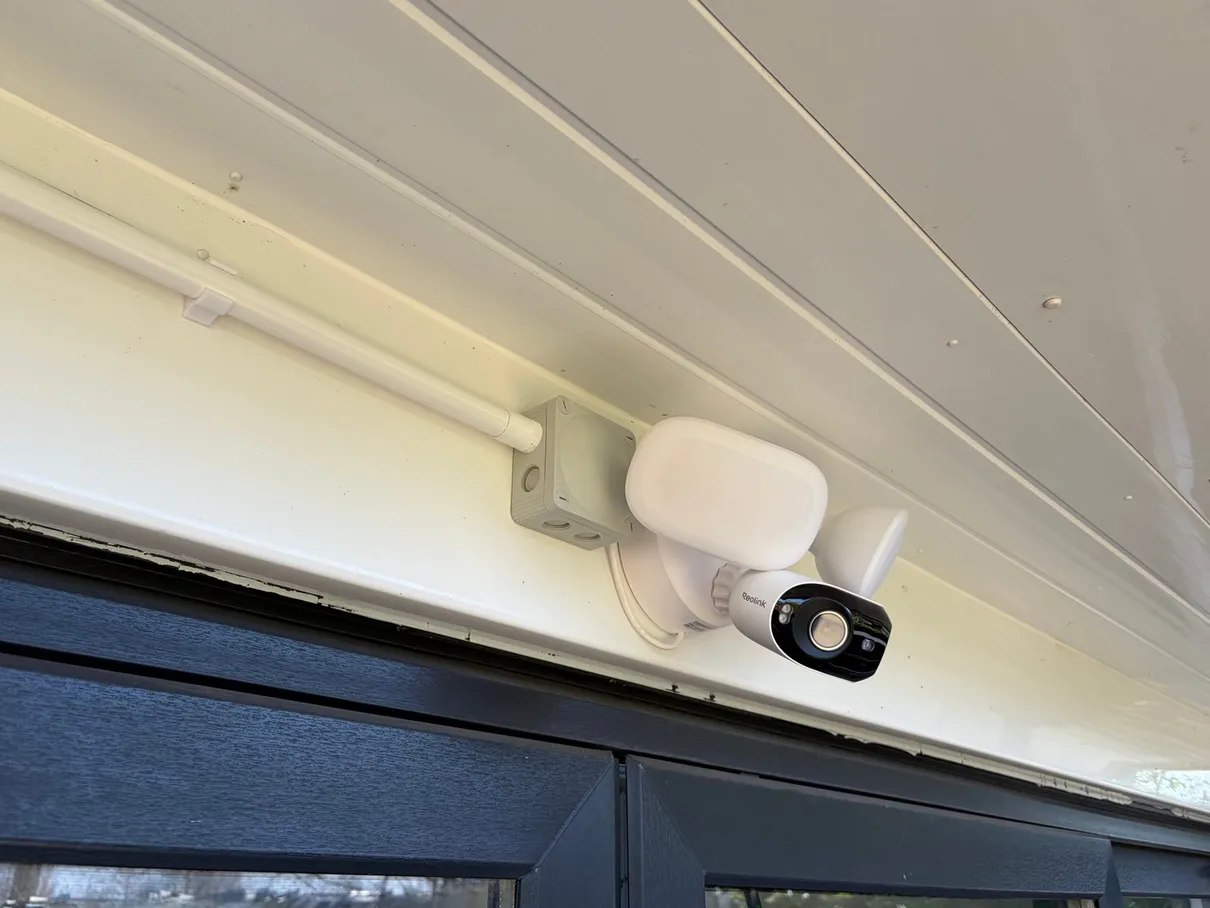
Real work from our North London portfolioReolink floodlight camera. The camera and floodlight cover the approach while matching white containment keeps the cable route tight to the soffit.
The plan before the products
Views, recording and ownership agreed as one system.
Official Reolink Partner.Real CCTV & security camera jobs completed across North London using Reolink, UniFi Protect, Hikvision and Ring equipment. We install and configure cameras, PoE cabling, local recording and secure app access, with associated electrical work tested and certified where applicable.
SurveyedPurpose, position and privacy
PoEData routes tested and labelled
Local NVRRecording and playback configured
12 monthsWorkmanship guarantee
The questions customers ask first
Your CCTV Installation Worries Answered in Cockfosters
Worried about visible cables, useful coverage, phone access or what happens during an outage? Here is what we check and agree before installation.
Explore the four questions01 / 04
01
Will CCTV installation leave visible cables or make a mess?
Routes agreed before drilling
We inspect lofts, cupboards, external routes and existing containment before work begins. Every visible cable section and penetration is discussed first, working areas are protected, and the installation is left tidy.
02
How will I know the cameras cover the areas that matter?
Views planned for a purpose
The survey starts with the entrances, approaches and assets you need to see. Position, height, lens, lighting and night performance are considered together so each camera has a clear job rather than merely adding a wider view.
03
Will I be able to view the cameras easily on my phone?
Customer-owned app handover
Compatible remote viewing, alerts and playback are configured on your account. We explain everyday use, apply strong account security where supported and remove temporary installer access at handover.
04
What happens to the CCTV if the internet or power goes down?
Recording path explained clearly
A local NVR can continue recording during an internet outage while its cameras and network remain powered, although remote viewing will normally stop. Power-loss behaviour and any backup-power requirement are agreed for the selected system.
Start with the problem to solve
CCTV Problems We Investigate in Cockfosters
Six practical reasons to survey the view, connection, recording and system ownership before adding or replacing cameras.
Swipe through the CCTV situations ← →
01
Light, lens and exposure
Night footage lacks useful detail
A high resolution number cannot compensate for poor angle, glare, excessive distance or unsuitable night illumination.
02
Purpose-led coverage
An entrance sits outside the useful view
Doors, drives, side routes and rear access need their own evidence requirement before camera count is decided.
03
Existing-system diagnosis
Cameras or recordings keep going offline
Power, PoE links, network paths, recorder storage and app configuration should be checked before equipment is replaced.
04
Secure handover
Nobody is sure who owns the app account
The customer should control system credentials, authorised users, playback and any supported multi-factor security.
05
Connection before camera
A wireless camera has an unreliable link
The position may need a wired PoE route or a properly surveyed network connection rather than another weak wireless hop.
06
Distance-aware design
A gate, garage or garden room needs coverage
Outdoor routes, cable distance, power, containment and the central recorder all need to be considered together.
Cameras, recording and entry systems
CCTV & Security Systems We Install Across Cockfosters
From focused door views to complete wired recording systems, the equipment follows the purpose, property and route.
Swipe through the system options ← →
01
Video Doorbells
Wired or compatible wireless doorbells from Reolink, UniFi and Hikvision, with live view, two-way audio, alerts and supported local-recording options configured for the household.
02
WiFi Cameras
A practical option where a permanent data cable is not appropriate. Power, wireless signal, mounting, recording method and app ownership are still checked at the intended position.
03
PoE Camera Systems
One network cable carries power and data to each compatible camera, providing a stable permanent link back to the PoE switch or NVR without relying on the camera position having strong WiFi.
04
NVR Recording Systems
Local continuous or event recording with storage sized around camera count, resolution, frame rate and the retention period you need. Playback and exports are demonstrated at handover.
05
Floodlight Cameras
A combined light and camera for drives, side access or rear gardens, with mains power, switching, mounting height, detection zones and neighbouring light spill considered together.
06
Commercial CCTV
Purpose-led camera and recording systems for shops, offices, cafés, restaurants and managed property. See our dedicated commercial CCTV service for operational planning and access responsibilities. Commercial CCTV installation
07
UniFi Protect & Intercom
Cameras, NVR appliances and compatible access or intercom equipment integrated with an existing or newly planned UniFi network, with one customer-controlled management environment.
08
Hikvision Cameras & Intercom
PoE cameras, NVRs and video-entry options for properties needing a broad hardware range, configured around the required views, recording, alerts and authorised users.
Three systems, chosen for different priorities
Which CCTV System Is Right for You?
We install Reolink, Hikvision and UniFi Protect, then recommend according to the property, recording requirement and wider network—not whichever product happens to be available.
01Strong residential value
Reolink
Local NVR recording, a straightforward app and a wide residential camera range make Reolink a practical starting point for many homes.
Official Rudi Electrics partner
Local storage without a required cloud plan
PoE, doorbell and floodlight options
02Broad system choice
Hikvision
A wide camera, recorder and intercom range for larger homes, HMOs, managed buildings and commercial requirements.
Extensive PoE and NVR range
ColourVu and AcuSense options
Video intercom choices
03One managed environment
UniFi Protect
A premium fit where the property already has, or is planning, a UniFi network and wants cameras and access managed together.
Integrated with UniFi networking
Customer-controlled local recording
Camera and intercom options
Real installation detail
Real CCTV Work From North London Properties We Serve.
Six distinct examples from completed UniFi Protect, Reolink and Hikvision installations across the Rudi Electrics North London portfolio.
Swipe through genuine CCTV installation details01 / 06
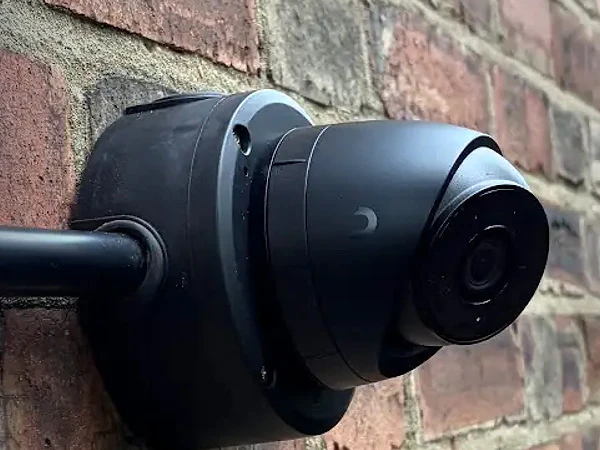
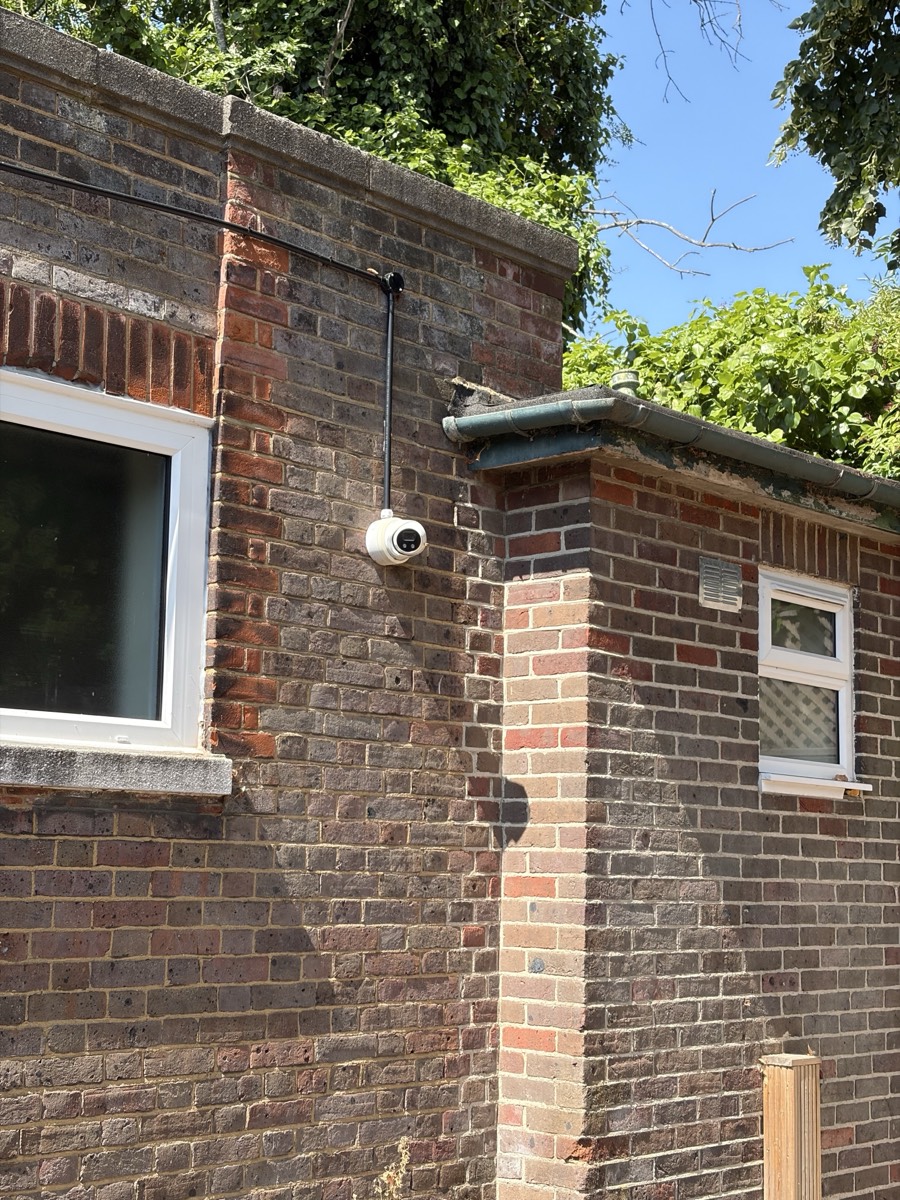
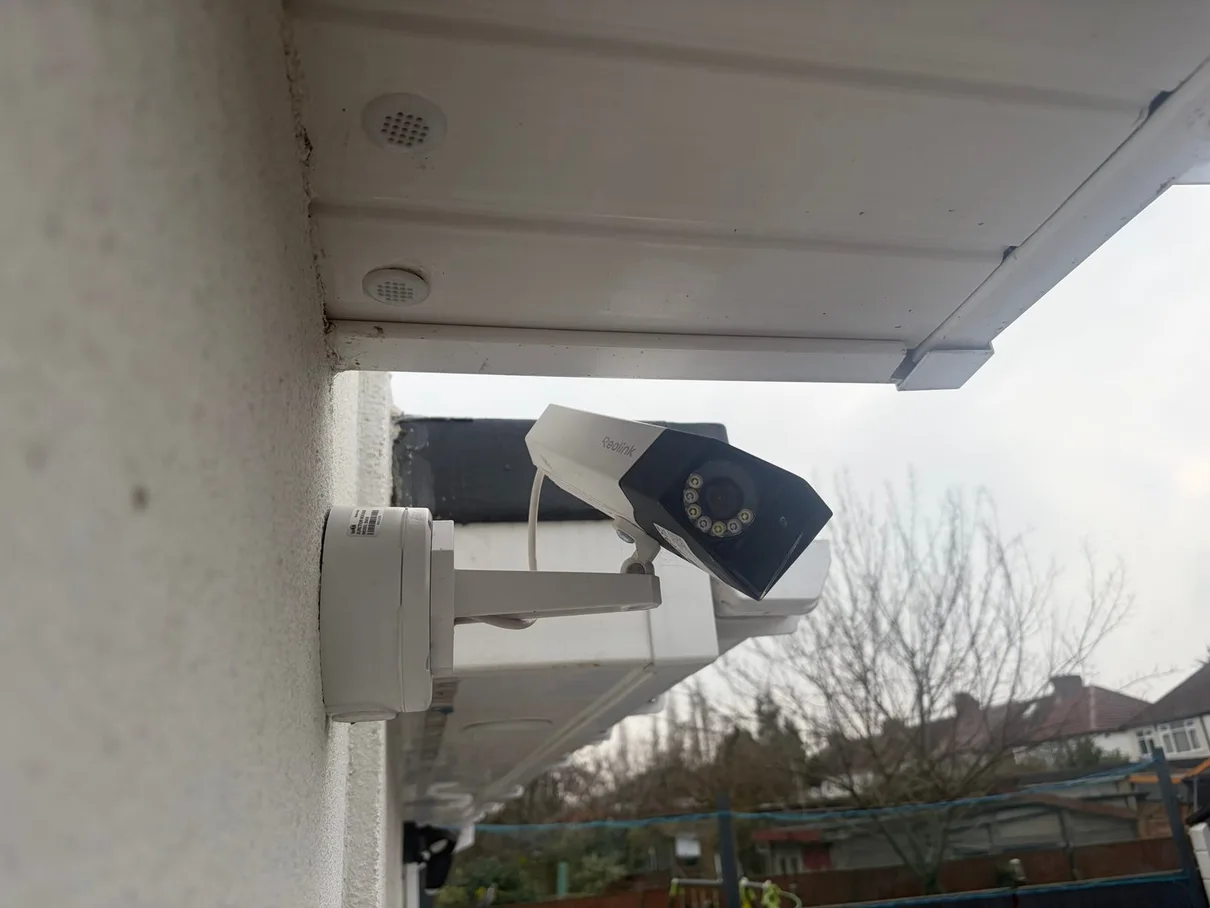
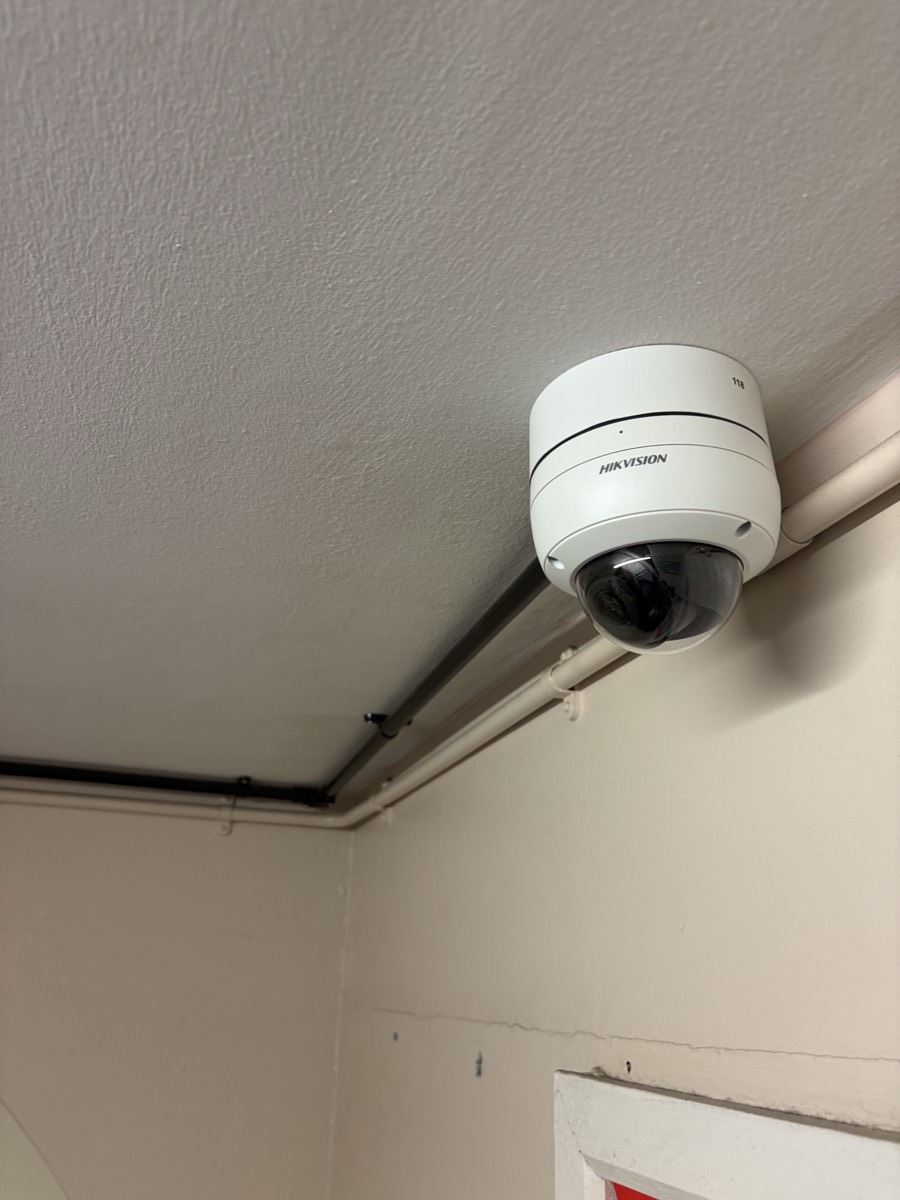
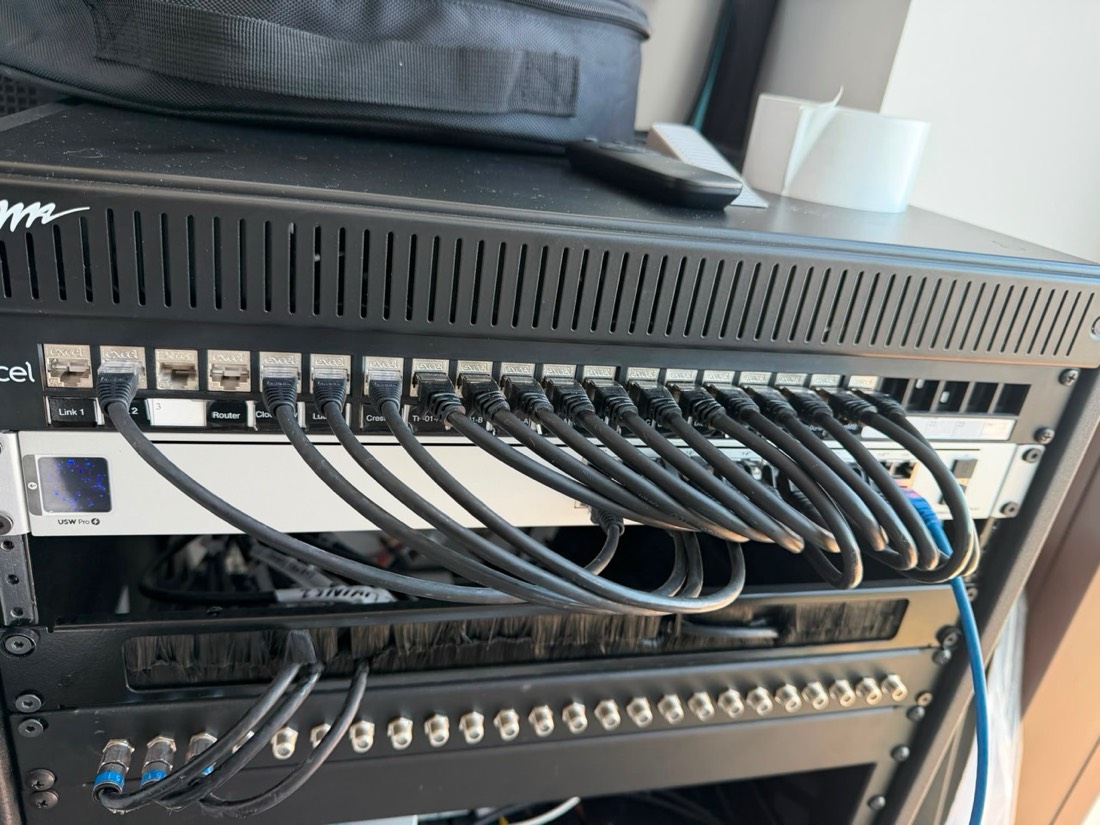
UniFi Protect · Installation 01UniFi Protect bullet cameraThe black finish sits neatly against the brickwork, with the cable entry sealed directly behind the camera mount.Reolink · Installation 02Reolink floodlight cameraThe camera and floodlight cover the approach while matching white containment keeps the cable route tight to the soffit.Hikvision · Installation 03Hikvision exterior cameraThe black camera and matching containment create a tidy, weather-protected external installation.Reolink · Installation 04Reolink dual-lens cameraThe corner-mounted dual-lens camera provides a wider view without adding a second mounting position.Hikvision · Installation 05Hikvision indoor domeThe compact ceiling-mounted dome covers the agreed internal area without dominating the room.Hikvision · Installation 06Recorder and network cabinetCamera cabling, recording and network equipment return to one organised location for easier maintenance.
What Our Customers Say About Us
Real reviews from homeowners in Cockfosters EN4. Live Google reviews below — for all 388+ reviews across Google, Checkatrade and MyBuilder, see our testimonials page →
How We Complete Your Cockfosters CCTV Installation
A clear six-step route from survey and system design to tested recording, secure access and practical training.
Swipe through the installation process ← →
01
Free Site Survey
We establish the entrances and areas that need coverage, inspect mounting positions and identify practical power, network and cable routes.
02
System Design & Quote
Camera roles, recording, storage, remote access and visible containment are set out in a clear written quotation before installation.
03
Equipment Check
The selected cameras, recorder, storage and network equipment are checked against the agreed design before an installation date is confirmed.
04
Camera Installation
Cameras are mounted securely, cable routes are completed neatly and the proposed fields of view are checked at the property.
05
System Configuration
Recording schedules, motion zones, privacy masking, alerts, users and remote access are configured for the agreed purpose.
06
Testing & Handover
Live views, recording, playback, notifications and customer access are tested and demonstrated before temporary installer access is removed.
Recurring real-world scenario
A camera at a Cockfosters property records a wide picture, but the entrance detail that matters is still unclear. What should change?
This reflects a camera-planning problem we come across frequently in Cockfosters: recording a large area is not the same as capturing useful detail at the place that matters.
01Define the view
Agree what must be visible and the level of detail needed at the entrance or approach.
02Check the conditions
Measure distance, height, lighting and neighbouring areas before selecting the lens and position.
03Prove the result
Check live view, recording, playback and night settings, then explain the finished system.
Existing guide prices, presented clearly
CCTV System Installation Pricing
Every quotation is based on the surveyed camera positions, cable routes, selected equipment and recording requirement. The existing package prices remain as useful starting points.
Swipe to compare CCTV packages ← →
01StarterFrom £750
A focused two-camera Reolink PoE system using supported local camera storage.
The shown prices are based on Reolink systems. UniFi Protect and Hikvision are quoted against the exact cameras, recorder, storage and installation route selected after survey.
01
What the customer is really buyingA clear view when it matters, secure access and confidence in the system behind it.
Local camera planning in Cockfosters
A useful CCTV system starts with the property, not a camera count.
Balance clear entrance and perimeter views with discreet routes, landscaped boundaries, leasehold permissions and controlled recording around EN4 properties.
Cockfosters installations can involve larger detached layouts, apartment buildings, gated approaches and garden structures. A useful design separates overview views from closer identification points and considers neighbouring property, shared fabric and equipment location before drilling begins.
Detached Homes and refurbished properties can need different mounting rights, fields of view and recording decisions in Cockfosters. The survey follows those real differences before equipment is specified.
The principle
Give every Cockfosters camera a defined view, a reliable connection and an owner who understands the handover.
The property changes the camera plan
Four Local Contexts That Change CCTV Planning in Cockfosters
Cockfosters installations can involve larger detached layouts, apartment buildings, gated approaches and garden structures. A useful design separates overview views from closer identification points and considers neighbouring property, shared fabric and equipment location before drilling begins. These four property and access contexts keep the survey specific rather than treating every address as one standard camera layout.
Explore the four property contexts01 / 04
Swipe or use the arrows ← →
01
Detached Homes
EN4 · drives, entrances and side access · Multi-zone perimeter views
Common challengeFor properties with a drive and side passages; on the Hadley Wood and Trent Park edges, Article 4 control over frontages applies. How is CCTV planned around a detached Cockfosters home?
Our approach
Map each approach, choose camera roles for overview or identification and route them back to a serviceable recorder position.
02
Refurbished Properties
Cockfosters · refurbishment planning · Cabling before finishes
Common challengeFor projects where camera and network routes can be coordinated with other first-fix work. When should CCTV cabling be installed during refurbishment?
Our approach
Agree camera, recorder and network positions before finishes close the routes, then terminate and test the cabling at the appropriate stage.
03
Leasehold Apartments
EN4 · apartments and shared fabric · Permission-aware mounting
Common challengeFor owners whose preferred view may involve communal entrances or external elevations. What must be agreed for CCTV at a Cockfosters flat?
Our approach
Confirm mounting rights and the intended field of view with the relevant freeholder or manager before work affects shared areas.
04
Gates & Garden Buildings
Cockfosters · gates and detached spaces · Remote entrance links
Common challengeFor gates and garden buildings on the generous plots here, where rear gardens near seventy feet make outdoor runs genuinely long. Can a gate or garden building connect to one recorder?
Our approach
Yes, where the route and equipment support it; the survey determines power, network distance, containment and surge considerations.
Connected local guidance
Nearby Areas We Cover Around Cockfosters
CCTV installation in four nearby parts of our wider Enfield service area. Select a linked location for more local guidance, or ask us about another nearby address.
01What does CCTV installation cost in Cockfosters EN4? Why are quotes so different?+
Whether you call it CCTV, security cameras, or a home surveillance system, the cost depends on cameras and wiring. Our Cockfosters pricing:
STARTER — 2-camera front & back system: from £750 (Reolink 4K cameras, SD-card storage; +£200 to add NVR + 2TB recording)
STANDARD — 4-camera full home system: £1,600 fully installed (Reolink 4K 8MP kit + 4-channel NVR + 2TB storage)
What changes the price: wired (IP/PoE) vs wireless, camera resolution (we default to 4MP — high-resolution cameras give clear face and vehicle detail), storage choice (NVR vs cloud), cable routing complexity (loft access, brick walls, soffit mounts).
Why quotes vary: cheap ones often skip surge protection, weatherproofing, and proper cable sealing — looks fine day one, fails after a winter. We quote everything fixed and itemised.
02Should I get WiFi or hardwired (PoE) cameras? What's actually reliable?+
For a permanent home security system, hardwired PoE (Power over Ethernet) IP cameras are the right call — here’s why versus wireless / WiFi cameras:
Wireless WiFi cameras drop out — router signal weakens through brick walls, especially to outdoor cameras. Footage gaps right when you need them
PoE = one CAT6 cable carries both data and power. No batteries, no plugs near eaves, no signal interference
PoE = local recording — the cameras connect to an NVR (network video recorder) at home, no monthly cloud fee
Wireless / WiFi is fine for a single video doorbell or rental properties where running cable isn’t practical
We default to PoE for permanent surveillance installs because it just works. Wireless only when there’s a structural reason cable can’t run.
03Will CCTV reduce my home insurance? Does it actually deter burglars?+
Honest version on insurance: probably not, unless your security camera system is professionally monitored 24/7 by an alarm receiving centre — which adds £30–£60/month. Standard self-monitored CCTV typically doesn’t trigger a discount. Ring your insurer before buying.
What CCTV / home security cameras actually do:
Burglar / crime deterrent — visible cameras with active recording lights make opportunist burglars walk past. Research on theft prevention consistently backs this
Evidence — high-resolution 4MP+ footage gives police a real chance to identify suspects and vehicles. Without it, you’re describing what you think you saw
Parcel theft (porch piracy) — front-door cameras and video doorbells catch this, which is the more common modern claim than break-ins
04What's the difference between a Ring doorbell and a proper CCTV system?+
A video doorbell (Ring, smart doorbell, etc.) and a full CCTV / home security camera system are different products for different jobs:
Ring video doorbell — single field of view at front door (~120°), cloud-only recording (£3.50–£8/month required), records on motion not continuously. Great for: who’s at the door, parcel deliveries.
Proper CCTV (4–8 surveillance cameras) — covers front + back + sides + garage (full property view), hardwired PoE IP cameras, 24/7 continuous recording, NVR records locally (no monthly fee), 4MP+ resolution for face and vehicle identification. Great for: full property security, evidence-grade footage.
Most Cockfosters homes we install end up with both — a video doorbell at the front + a 4-camera CCTV system covering the rest. They’re complementary, not alternatives.
05Reolink, UniFi, Hikvision, Ring, Nest — which brand is best?+
We install three main brands and give you an honest recommendation rather than pushing whichever we happen to stock:
Reolink — our official partner brand and default recommendation. Best value-to-quality for UK residential, 4MP+ IP cameras, local NVR option (no monthly fee), reliable PoE range, decent app, 2-year warranty
UniFi Protect — the step-up choice if you already have (or want) a UniFi network. Cameras, NVR, and video intercom all run in one app alongside your WiFi and network gear — the tidiest option for anyone who wants everything unified
Hikvision — a huge range including video door entry and intercom systems, strong image quality, and proven hardware. We supply and install Hikvision for customers who specifically want it or need its wider commercial/HMO product range
Ring (Amazon) — video doorbell focus; full CCTV needs monthly subscription, cloud-only
Eufy / Arlo — battery wireless WiFi only, fine for tenants, not permanent home installs
Swann / ADT — older analogue or DIY kits; possible but we recommend modern 4MP+ IP cameras over analogue
Tell us your priorities — lowest cost, network integration, or intercom/access control — and we'll recommend the right brand for the job, not just the one we install most.
06Where should the cameras go and how many do I need?+
For a typical Cockfosters home, 4 outdoor security cameras cover ~90% of risk:
Front door / driveway camera — captures approachers, deliveries, vehicle detail
Rear garden / patio doors — most break-ins come through the back; a garden camera here is high-priority
Side return / alleyway — common entry to back garden
Garage / shed / second side — depending on layout
Add 2–4 more for: detached garages, large gardens, second drives, tree-blocked angles, outbuildings.
On a free site survey we look at: soffit/eave height, cable runs back to the NVR (loft access, internal routes), local lighting at night (drives IR vs white-light camera strategy), router and switch locations. We design coverage for your house, not a generic 4-camera kit.
07How is footage stored — NVR or cloud subscription?+
Two paths for video recording storage:
NVR (Network Video Recorder) — what we install by default
14–30 days of continuous 4MP footage on a 2TB drive (£60 to swap up)
No monthly fee, ever
Recordings stay on your premises (modern equivalent of an old DVR system)
Connects to your phone app for remote viewing
Cloud subscription
Reolink Cloud: from £3.50/month per camera
Ring Protect: £3.50–£8/month per device
Nest Aware: £6/month minimum
Adds up to £40–£90/year per camera — locks footage behind a paywall
We always quote with NVR included. Cloud is optional if you want offsite backup of critical clips.
08Will it work at night? Can I actually identify faces in the dark?+
Yes — modern high-resolution security cameras give clear night vision footage. Depends on camera + lighting:
4MP / 4K resolution (ultra HD) = legible faces at 5–10m in good light
IR (infrared) night vision = black & white, range 20–30m, works in pitch dark
Colour night vision (white-light LED) = colour footage at night, range 8–15m, needs some ambient light
Reolink ColorX / Spotlight = best of both — IR for distance, white-light triggered by motion
For Cockfosters homes the right answer is usually IR + spotlight on the front-door camera (colour clothing detail when someone approaches) and IR-only on side/back cameras (range + stealth — you don’t want spotlights into the neighbour’s bedroom). We pick per-camera, not a one-size kit.
09Can I view the cameras on my phone from anywhere? Will I get notifications?+
Yes, set up as part of every install:
Phone app (Reolink, UniFi Protect, or Hikvision — whichever system we install) — live view, playback, motion alerts, two-way audio on supported cameras
Setup once on home WiFi, then accessible from anywhere via the app’s secure relay (no DDNS or port-forwarding faff)
Push notifications — motion detected, person detected, vehicle detected
AI filters — Reolink filters ‘person’ vs ‘animal’ vs ‘vehicle’ so you’re not pinged every time a fox crosses the garden
Multi-user — partner / family on their own logins with full access
We configure the app on your phone before we leave. If you want notifications only during specific hours (e.g. while you’re away), we set that up too.
10Will the cameras get hacked? How safe is the footage on our system?+
Honest answer: any internet-connected device has some risk, but a well-configured system makes you a hard target.
Why our installs are low-risk:
Local NVR, not cloud-only — your footage sits on a hard drive at home, not on a third-party cloud server (Ring’s 2019 incident was cloud-side)
Strong unique passwords — we change every default password on cameras and the NVR before we leave
Closed network ports — modern systems (Reolink, UniFi Protect, Hikvision) use an outbound-only secure relay (no inbound port-forwarding to hack)
Regular firmware updates — we set the NVR to auto-update for security patches
What you should do:
Don’t reuse your email/banking password on the CCTV app
Don’t let third-party apps access the camera feed
Ring us if a camera’s recording light is on when it shouldn’t be
Whichever brand we install — Reolink, UniFi Protect, or Hikvision — local NVR storage plus secure configuration is what actually keeps a system safe, not the badge on the camera.
11What happens during the install — drilling, cables, mess?+
A typical 4-camera install at a Cockfosters home takes one day:
Camera mounting (~2 hours) — fit to soffit/eave or external wall on stainless brackets. 8–10mm cable holes sealed with mastic to stop water ingress. Each camera angled before final fix.
Cable routing (~3 hours) — CAT6 through soffit boxing → loft → down internal wall to NVR location. Where loft access isn’t possible, we run external in cable conduit (matched to fascia colour). No chasing brick — cables go through existing routes.
NVR setup + commissioning (~2 hours) — NVR in a discreet spot (under stairs, cupboard, study). Cameras configured, motion zones drawn, app set up on your phone. Walk-through with you before we leave.
We hoover, take all packaging, and bin the old kit.
12My neighbour is upset about my camera. What are my rights?+
Common situation. The law in plain terms:
You can record — your own driveway, garden, doorway; public space visible from your boundary (street, footpath).
You shouldn’t record — inside your neighbour’s windows; their private back garden as primary camera angle; audio from their property (audio has stricter rules than video).
If your camera sees beyond your boundary — register with ICO (£40/year), put up ‘CCTV in operation’ signage, respond to subject access requests, delete footage on a regular cycle.
Best practice when neighbour raises concerns:
Walk them through what the camera actually sees (most worries are based on perceived angle, not real)
Adjust angle to clearly exclude their property if possible
Confirm you’re ICO-registered if applicable
We design installs to minimise neighbour-overlap from day one. If concerns come up later, we’ll come back and re-angle for free.
13Do you install CCTV for shops, offices, cafés, and restaurants? How is a commercial job different from a home install?+
Yes — commercial installs follow the same fixed-price-in-writing approach as residential, just scaled and quoted individually rather than off a fixed tier, because the variables are much wider:
Camera count & layout — designed around your actual floor plan, till points, staff entrances, and stock room, not a generic 4-camera kit
Higher-capacity storage — 30+ day retention is common for commercial (vs 14–30 days residential default) to meet insurance or lease requirements
Brand choice — Reolink, UniFi Protect, or Hikvision, whichever suits your site and budget
Because commercial jobs range from a single shop to a small chain of a few locations, we quote after a free site survey rather than a fixed online tier — same no-obligation, fixed-price-in-writing approach either way.
14What are our legal responsibilities for CCTV as a business — staff monitoring, ICO, signage?+
Business CCTV is treated differently in law to a homeowner's front-door camera — the domestic-use exemption in UK data protection law doesn't apply once you're recording staff, customers, or the public as part of running a business. In general terms:
ICO registration — most businesses running CCTV need to register with the Information Commissioner's Office and pay the data protection fee
Clear signage — visible notices telling staff and visitors that CCTV is in operation and why
Documented retention & access policy — how long footage is kept, who can view it, and why
Staff monitoring specifically — needs a clear, communicated policy; covertly monitoring staff without strong justification is a legal risk
We're electricians and CCTV installers, not solicitors — for the specifics of your situation, the ICO's own CCTV guidance (ico.org.uk) is the authoritative source. We're happy to talk through the practical setup (retention periods, signage placement) as part of your site survey.
15Can you monitor multiple sites or shops from one place?+
Yes — this is one of the areas UniFi Protect and Hikvision are particularly strong, and a common ask from landlords and multi-site business owners:
Centralised viewing — see every site's cameras from one app or console, rather than logging into separate systems per location
Per-site local recording — each site keeps its own NVR storage, so one site losing internet doesn't affect footage at another
Scales as you grow — add a new site's cameras into the same management app rather than starting a new system each time
We set this up as part of the commercial site survey — tell us how many sites you need covered and we'll confirm it works for your setup before we quote.
NICEIC registration D609991 (verify) · 15+ years' experience working in North London. CCTV is installed, configured and explained; associated electrical work is tested and certified where applicable.
Get a Free CCTV Installation Quote
Tell us about your property and what you'd like to cover — we'll respond during working hours to discuss the scope and prepare a no-obligation quotation.
🤝
Reolink Partners
We're official Reolink partners — we supply and install the full range from doorbells to full 4K PoE NVR systems, with equipment and installation itemised in the quotation.
🎓
NICEIC Registered
All CCTV electrical work is carried out safely by a qualified, NICEIC registered electrician following BS 7671 standards.
📱
Full Setup & Training
Remote viewing, motion alerts, recording schedules, and app access all configured and demonstrated before we leave.
💰
Fixed Price Quotes
From £750 for a complete CCTV system. No surprises — we agree the full price before any work begins.
✓
Quote Request Sent!
Thanks, we'll respond during working hours to discuss your CCTV installation.
Your privacy choices
We use anonymous totals to improve this website. Optional analytics add fuller insights only with your permission. You can accept optional cookies, reject them or choose by purpose. See ourPrivacy & Cookie Policy.We count anonymous site totals. Optional analytics runs only with permission.Privacy policy.
Necessary
Required for security, enquiry forms and remembering your privacy choice.
Always active
Declining optional cookies or anonymous measurement does not affect the website or enquiry forms.